# IPTVViewer for MUOS
**URL:** https://community.muos.dev/t/iptvviewer-for-muos/187
**Category:** Release
**Tags:** pixie, banana
**Created:** [April 17, 2025, 4:36am UTC](https://community.muos.dev/t/iptvviewer-for-muos/187 "2025-04-17T04:36:45Z")
**Posts on this page:** 7
**Page:** 1
### Author:  [@vasinsky](https://community.muos.dev/u/vasinsky)
#### Post date: [April 17, 2025, 4:36am UTC](https://community.muos.dev/t/iptvviewer-for-muos/187/1 "2025-04-17T04:36:45Z")
Application for MuOS tested on AW Banana (RG35xx H)
The application can work with both remote m3u lists and local ones, watch channels and listen to radio online
The application does not check the validity of the lists (if necessary, you can use online services or collect your own valid and verified list)
The list of remote lists is saved in .iptv-viewer/assets/data/iptvlists.txt
The list of local lists is stored in .iptv-viewer/assets/data/iptvlists
There are several examples for use (I have not checked all channels for functionality, )
Switching between online and offline modes only when viewing the list of names (switching is not available in the list of channel lists) - the “select” button
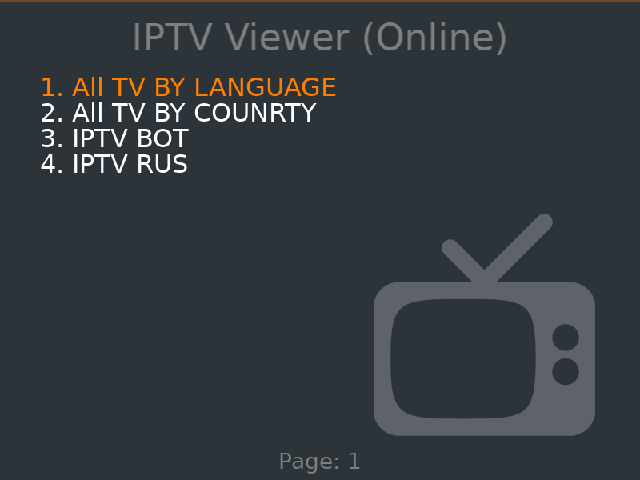
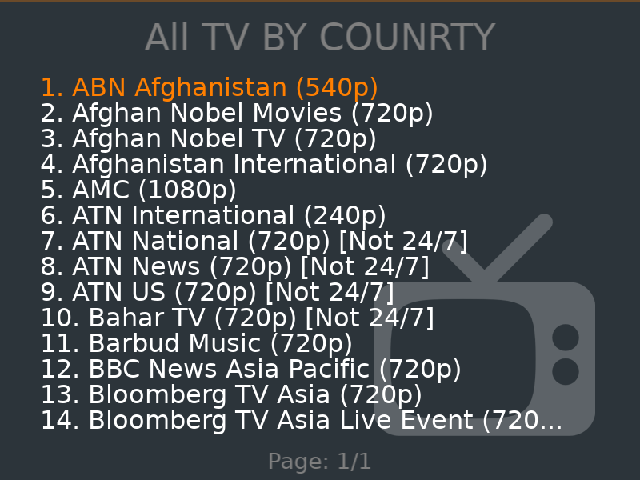
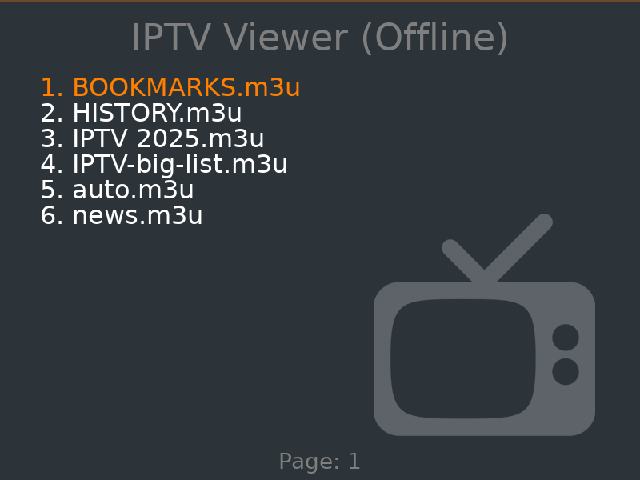
Save control for the MuOS MPV player (it is used for broadcasts)
I tried to process all possible server response errors, but it is very difficult to catch MPV errors - so if you do not see the video for a long time and do not receive an error - accept it - you will not be able to open the channel
Application logs in the standard log.txt and in assets/data/applog.txt (the log is cleared when the application is launched)
MPV player logs in assets/data/mpv.txt (the log is overwritten)
In Config.lua there is an option to disable logs, store history and with bookmarks
The application records the history of viewing channels in /assets/data/iptvlists/HISTORY.m3u - the file is available when viewing local lists - do not delete it
The application can save a channel you like to bookmarks - the information is in /assets/data/iptvlists/BOOKMARKS.m3u - the “U” button
Unfortunately, I was not able to eliminate the artifacts after closing the MPV video stream - so when you close the player, you will see an animation of the strip on the screen - which cleans up these artifacts (you can force this animation with the left stick)
Navigation through the list of names and the list of channels, for convenience is tied to the DPAD
Up and down - this is vertical listing (works in both directions)
Left and right - this is horizontal - page listing (works in both directions)
```auto
up = up
down = down
left = left
right = right
select = space #change mode online/offline
left_analog_up = c #clear artefacts mpv
left_analog_down = c #clear artefacts mpv
a = enter
b = x # back/close mpv
y = z # add to bookmarks
#mpv controls
start = p # pause
x = m # mute sound
l1 = 3 # bright less
l2 = 1 # contrast less
r1 = 4 # bright more
r2 = 2 # contrast more
right_analog_up = * # volume increase
right_analog_up = add_shift
right_analog_down = / # volume decrease
right_analog_left = [ # speed down 10%
right_analog_right = ] # speed up 10%
```
Banana [IPTVViewer/IPTVViewer\_v2.zip at main · vasinsky/IPTVViewer · GitHub](https://github.com/vasinsky/IPTVViewer/blob/main/IPTVViewer_v2.zip)
Pixie [IPTVViewer/IPTVViewer\_Pixie\_v2.muxzip at main · vasinsky/IPTVViewer · GitHub](https://github.com/vasinsky/IPTVViewer/blob/main/IPTVViewer_Pixie_v2.muxzip)
---
### Author:  [@kutu](https://community.muos.dev/u/kutu)
#### Post date: [May 21, 2025, 1:41am UTC](https://community.muos.dev/t/iptvviewer-for-muos/187/2 "2025-05-21T01:41:22Z")
Thanks, nice app. Anyway to quit app?
---
### Author:  [@nvcuong1312](https://community.muos.dev/u/nvcuong1312)
#### Post date: [May 21, 2025, 3:54am UTC](https://community.muos.dev/t/iptvviewer-for-muos/187/3 "2025-05-21T03:54:56Z")
Maybe Start + Select. :dogheh:
---
### Author:  [@Boots](https://community.muos.dev/u/Boots)
#### Post date: [October 12, 2025, 9:38am UTC](https://community.muos.dev/t/iptvviewer-for-muos/187/4 "2025-10-12T09:38:37Z")
This is awesome! Ty!
I’m trying to upload my own m3u playlist but I can’t figure out how to get to the files you listed.
I added the zip file to the archive folder. Installed it successfully but I’m lost from here. Any help is appreciated ty
---
### Author:  [@alydev](https://community.muos.dev/u/alydev)
#### Post date: [June 29, 2026, 11:03pm UTC](https://community.muos.dev/t/iptvviewer-for-muos/187/5 "2026-06-29T23:03:01Z")
I installed the Pixie release (by renaming .muxzip to .muxupd) on my rg35xx-sp. The app hangs on the main menu; the only thing in log.txt is
> /mnt/mmc/MUOS/application/IPTVViewer/mux\_launch.sh: line 28: /mnt/mmc/MUOS/emulator/gptokeyb/gptokeyb2: not found
I was able to recover by sshing in and doing killall love
---
### Author:  [@elhermocho](https://community.muos.dev/u/elhermocho)
#### Post date: [August 17, 2026, 1:25am UTC](https://community.muos.dev/t/iptvviewer-for-muos/187/6 "2026-08-17T01:25:25Z")
im having the same problem. how did you solve it?
---
### Author:  [@alexander-clawthorne](https://community.muos.dev/u/alexander-clawthorne)
#### Post date: [October 1, 2026, 6:16pm UTC](https://community.muos.dev/t/iptvviewer-for-muos/187/7 "2026-10-01T18:16:51Z")
The Pixie-era script expects gptokeyb2 at `MUOS/emulator/gptokeyb/`, but on Silly Goose it lives in `MUOS/PortMaster/`. So LÖVE launches fine and draws the UI — but the input translator never starts, so no button does anything. Not frozen, just deaf.