# muSE Player
**URL:** https://community.muos.dev/t/muse-player/1684
**Category:** Testing
**Tags:** anbernic, custom
**Created:** [September 21, 2026, 11:36pm UTC](https://community.muos.dev/t/muse-player/1684 "2026-09-21T23:36:12Z")
**Posts on this page:** 17
**Page:** 1
### Author:  [@cappyjune](https://community.muos.dev/u/cappyjune)
#### Post date: [September 21, 2026, 11:36pm UTC](https://community.muos.dev/t/muse-player/1684/1 "2026-09-21T23:36:12Z")
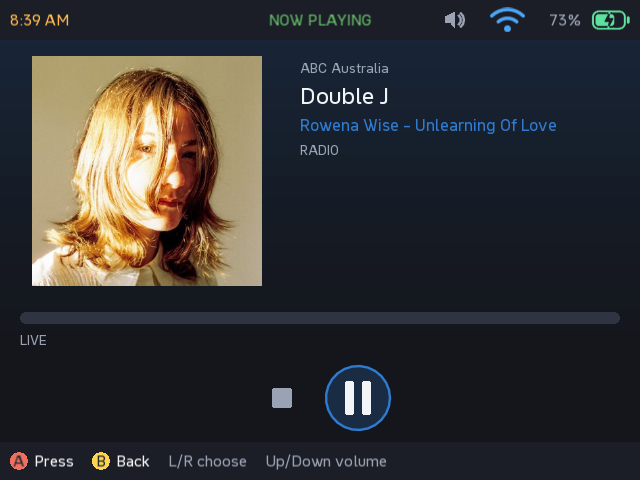
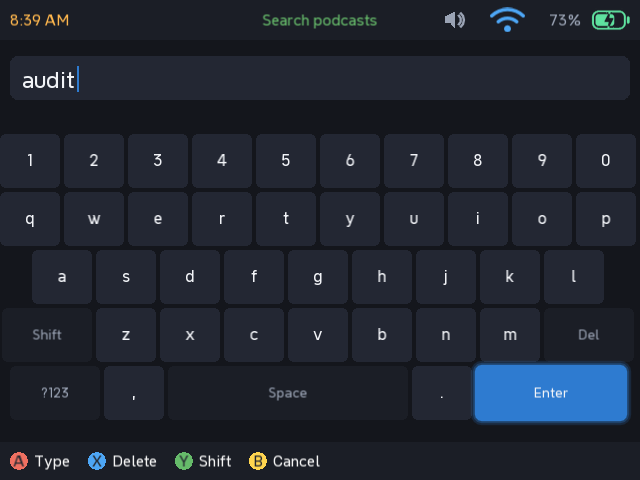
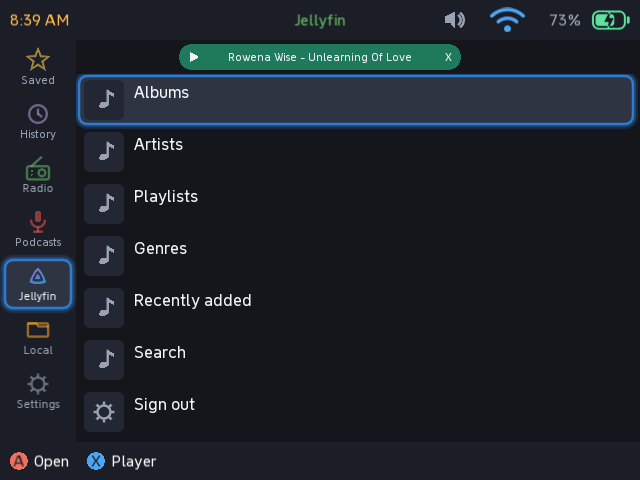
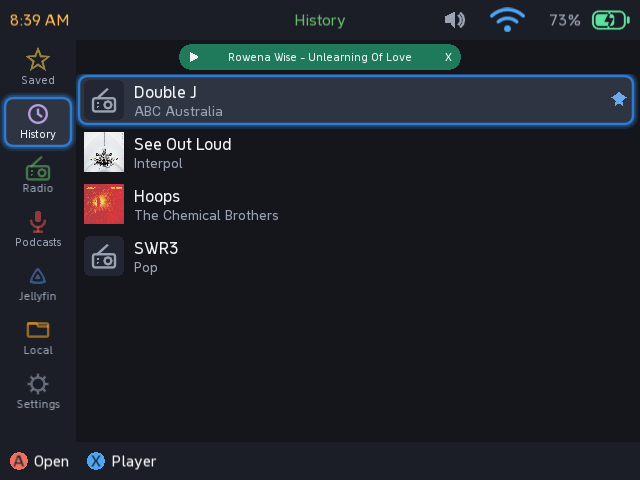
muSE Player (beta) - internet radio, podcasts, Jellyfin music and local files
An audio player for the RG35XX-H on muOS. Internet radio with live track
names, podcasts (stream or download), Jellyfin music, and local files from the
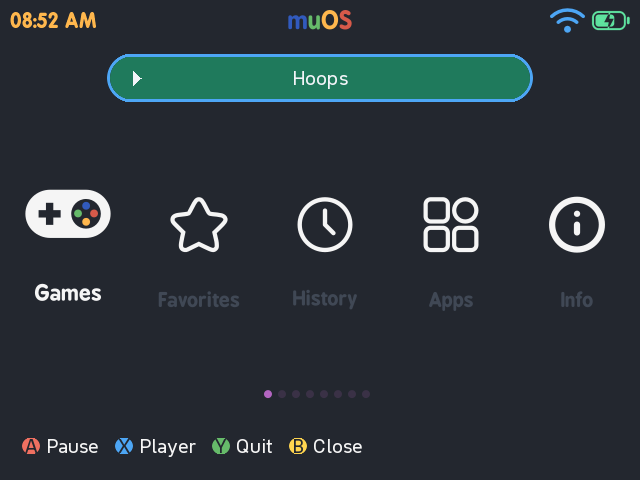
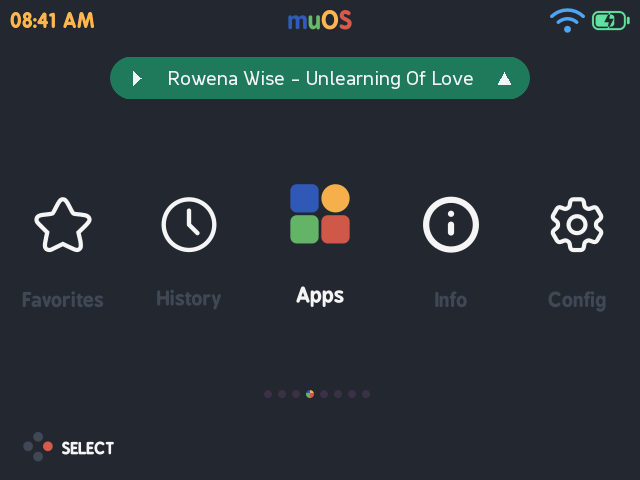
card. Audio keeps playing after you close the app, and what is playing shows
as a pill on the muOS home screen - press Up on it for play/pause, the player,
or quit. The pill can be turned off in Settings.
Requires PortMaster installed (it uses gptokeyb for input).
Tested and working on my own RG35XX-H. The pill draws straight into the
framebuffer over muOS’s own screen, and its colours are matched to my current theme, so on a different theme it may not sit right - that is what the
setting is for.
Controls
D-pad move A open / confirm B back
X now playing Y save / unsave Start download episode
Select close the app (audio keeps playing)
L1/R1 page up/down in lists
Player: Left/Right pick a control, A press, Up/Down volume,
L1/R1 rewind/fast-forward (not on live radio)
Pill: Up focus, then A play/pause, X player, Y quit, B dismiss
Download: [GitHub - Cappyjune4/muse-player-rg35xxh: muSE Player - internet radio, podcasts, Jellyfin music and local files for the Anbernic RG35XX-H on muOS · GitHub](https://github.com/Cappyjune4/muse-player-rg35xxh)
Bugs or feature requests, please open an issue on GitHub.
---
### Author:  [@jkrules](https://community.muos.dev/u/jkrules)
#### Post date: [September 22, 2026, 3:15pm UTC](https://community.muos.dev/t/muse-player/1684/2 "2026-09-22T15:15:13Z")
When you mean “requires PortMaster”, do I need to have a specific module installed, or do I just need PortMaster to be on the system?
---
### Author:  [@cappyjune](https://community.muos.dev/u/cappyjune)
#### Post date: [September 22, 2026, 7:51pm UTC](https://community.muos.dev/t/muse-player/1684/3 "2026-09-22T19:51:26Z")
I should have been more specific sorry. You need gptokeyb and Weston as dependencies. Installing the Switchfin port and running it automatically pulls these which is the path I went down.
I’ll repackage it with these, or make it pull them when I get some time.
---
### Author:  [@jkrules](https://community.muos.dev/u/jkrules)
#### Post date: [September 22, 2026, 10:40pm UTC](https://community.muos.dev/t/muse-player/1684/4 "2026-09-22T22:40:51Z")
Its ok, everybody makes mistakes.
---
### Author:  [@cappyjune](https://community.muos.dev/u/cappyjune)
#### Post date: [September 22, 2026, 11:03pm UTC](https://community.muos.dev/t/muse-player/1684/5 "2026-09-22T23:03:05Z")
Have you installed it? I’d be keen to hear your feedback or if you found any bugs.
---
### Author:  [@jkrules](https://community.muos.dev/u/jkrules)
#### Post date: [September 22, 2026, 11:43pm UTC](https://community.muos.dev/t/muse-player/1684/6 "2026-09-22T23:43:52Z")
No i cant until the weekend, on saturday or sunday, i will give feedback!
---
### Author:  [@jkrules](https://community.muos.dev/u/jkrules)
#### Post date: [September 28, 2026, 8:41pm UTC](https://community.muos.dev/t/muse-player/1684/7 "2026-09-28T20:41:59Z")
Your app is very great! I love the radio feature and out of app audio player! The only feed back I have is for my theme, the bar that appears when you are out of the app will sometimes appear cutoff. A suggestion I have for you is to add a video player (mpv) and/or youtube support. So you could download videos from youtube or watch them. Other than that, your app is great!
---
### Author:  [@SamuelAponte](https://community.muos.dev/u/SamuelAponte)
#### Post date: [September 29, 2026, 9:39am UTC](https://community.muos.dev/t/muse-player/1684/8 "2026-09-29T09:39:07Z")
Great idea, guys, lmk if u need any help.
---
### Author:  [@cappyjune](https://community.muos.dev/u/cappyjune)
#### Post date: [September 29, 2026, 11:06pm UTC](https://community.muos.dev/t/muse-player/1684/9 "2026-09-29T23:06:05Z")
Thanks for the feedback! The pill is toggleable in settings so you can disable it and continue playback without it :).
I will look into the cutoff, could you get me a screenshot so I can see?
I did contemplate a YouTube downloader/viewer I just don’t know much about how YouTube interfacing and was worried it would require a lot of updates as I imagine they try to cut down on third party apps connecting to their services. I will take a look though.
---
### Author:  [@cappyjune](https://community.muos.dev/u/cappyjune)
#### Post date: [September 29, 2026, 11:07pm UTC](https://community.muos.dev/t/muse-player/1684/10 "2026-09-29T23:07:15Z")
Happy to get some help with this. Got some feature requests and refinement to do. Send me a message on my gh 🙏
---
### Author:  [@cappyjune](https://community.muos.dev/u/cappyjune)
#### Post date: [September 29, 2026, 11:20pm UTC](https://community.muos.dev/t/muse-player/1684/11 "2026-09-29T23:20:09Z")
Ah yes and mpv. I’ll see what I can do
---
### Author:  [@jkrules](https://community.muos.dev/u/jkrules)
#### Post date: [September 30, 2026, 1:53pm UTC](https://community.muos.dev/t/muse-player/1684/12 "2026-09-30T13:53:10Z")
According to the MUOS youtube apps, the only thing that should update is the file called “yt-dlp” so as long as you have a updater for that, you should be fine. (One that pulls the yt-dlp file from gh.)
---
### Author:  [@cappyjune](https://community.muos.dev/u/cappyjune)
#### Post date: [October 1, 2026, 11:19pm UTC](https://community.muos.dev/t/muse-player/1684/13 "2026-10-01T23:19:41Z")
Yeah that’s the gold standard available in most Linux repositories. My concern is that it needs updates quite often due to YouTube cracking down on downloads. If I implement it, I’d want to ensure a way for it to auto update… Which I can’t see how I’d do at this point.
I’ll have a look this weekend, there might be a solution that isn’t too hacky.
---
### Author:  [@jkrules](https://community.muos.dev/u/jkrules)
#### Post date: [October 2, 2026, 1:18pm UTC](https://community.muos.dev/t/muse-player/1684/14 "2026-10-02T13:18:59Z")
Alright, thanks for considering!
---
### Author:  [@nothisislyra](https://community.muos.dev/u/nothisislyra)
#### Post date: [October 3, 2026, 10:10pm UTC](https://community.muos.dev/t/muse-player/1684/16 "2026-10-03T22:10:11Z")
this looks slick! particularly interested in playback with the widget while playing a game. is there a way to point the local files function to another directory on the sdcard? my music is organized under /Music for syncing purposes with my Navidrome server and iPod.
---
### Author:  [@SamuelAponte](https://community.muos.dev/u/SamuelAponte)
#### Post date: [October 5, 2026, 3:07pm UTC](https://community.muos.dev/t/muse-player/1684/17 "2026-10-05T15:07:35Z")
> **[muSE – Google Drive](https://drive.google.com/drive/folders/10ESuv1B5wmE3xzzKiZhc0weZX676V8Sh)**
There you go…
Great idea using Syncthing for that.
---
### Author:  [@cappyjune](https://community.muos.dev/u/cappyjune)
#### Post date: [October 6, 2026, 3:34am UTC](https://community.muos.dev/t/muse-player/1684/18 "2026-10-06T03:34:17Z")
Sorry guys I haven’t had much time to look into YouTube, or local file redirection. Obviously happy for others to fork and implement their own ideas.
Really busy month ahead so I’ll take a look when I get a moment.