If when you launch content you see the fade and then get immediately kicked back to the menu this thread is for you.
This is often from the core assignment not being properly set or having old assign files from a previous version of muOS.
Go to Explore Content and open the content folder you want to assign so that you can see the roms/files in the folder, then press Select and pick Assign Core, then select the appropriate system.
For ports it is External - Ports.
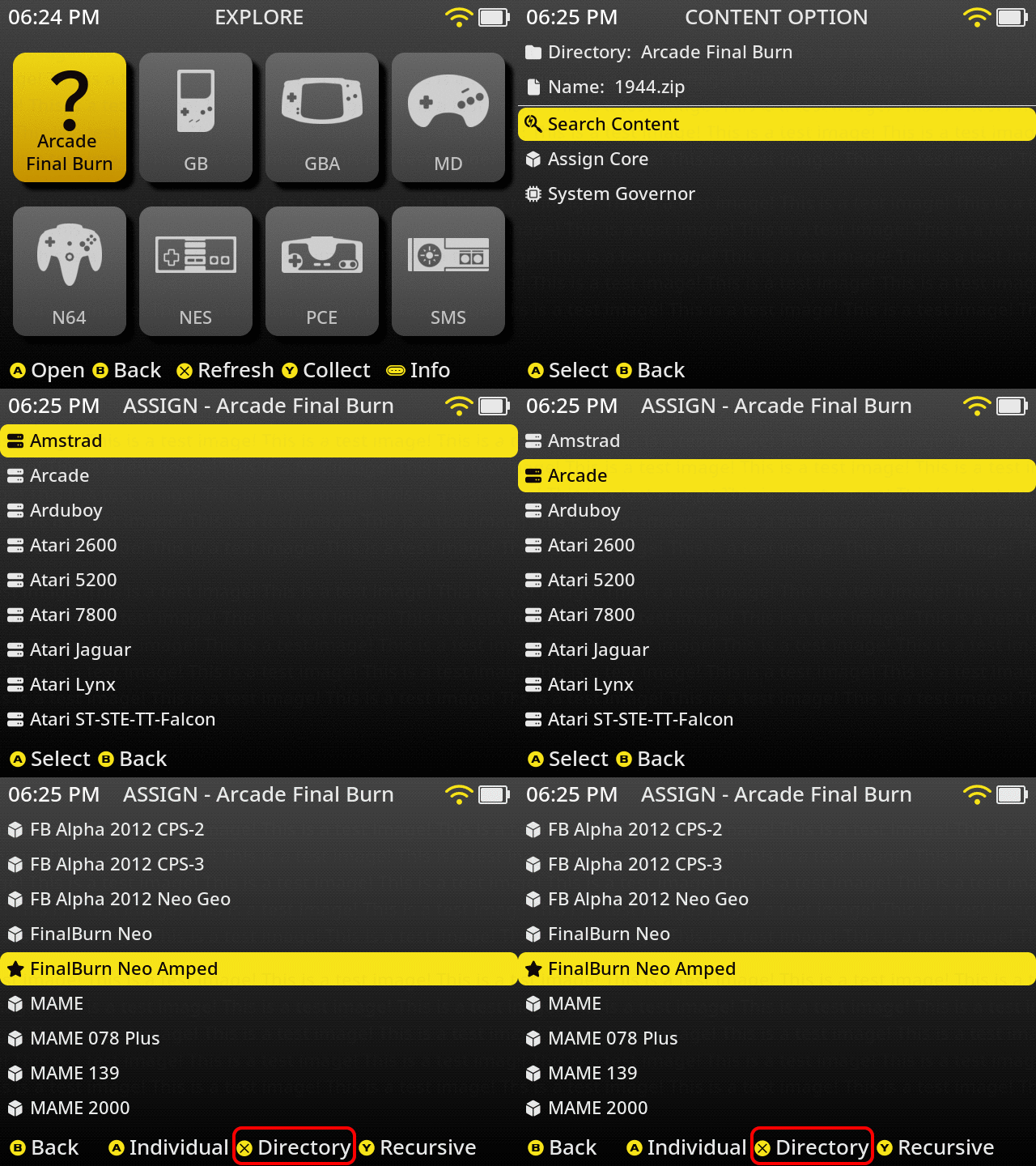
After picking the core press X while in the game list to refresh.
If it still doesn’t launch it could be old assign files.
The best way to fix the issue is delete the /MUOS/info/core/<systemname> folder and then manually re-assign the core for the content.
If you have tried all this then it is most likely an issue with the content itself.
You can check the retroarch log at /MUOS/log/retroarch/ or if it is a port you can check in /ports/gamename/log.txt to see if there is an issue with the content itself.