# Scrappy Fork for muOS - An artwork scraper powered by Skyscraper
**URL:** https://community.muos.dev/t/scrappy-fork-for-muos-an-artwork-scraper-powered-by-skyscraper/1218
**Category:** Release
**Tags:** content, goose
**Created:** [January 8, 2026, 7:18pm UTC](https://community.muos.dev/t/scrappy-fork-for-muos-an-artwork-scraper-powered-by-skyscraper/1218 "2026-01-08T19:18:58Z")
**Posts on this page:** 20
**Page:** 1
### Author:  [@sahil](https://community.muos.dev/u/sahil)
#### Post date: [January 8, 2026, 7:18pm UTC](https://community.muos.dev/t/scrappy-fork-for-muos-an-artwork-scraper-powered-by-skyscraper/1218/1 "2026-01-08T19:18:58Z")
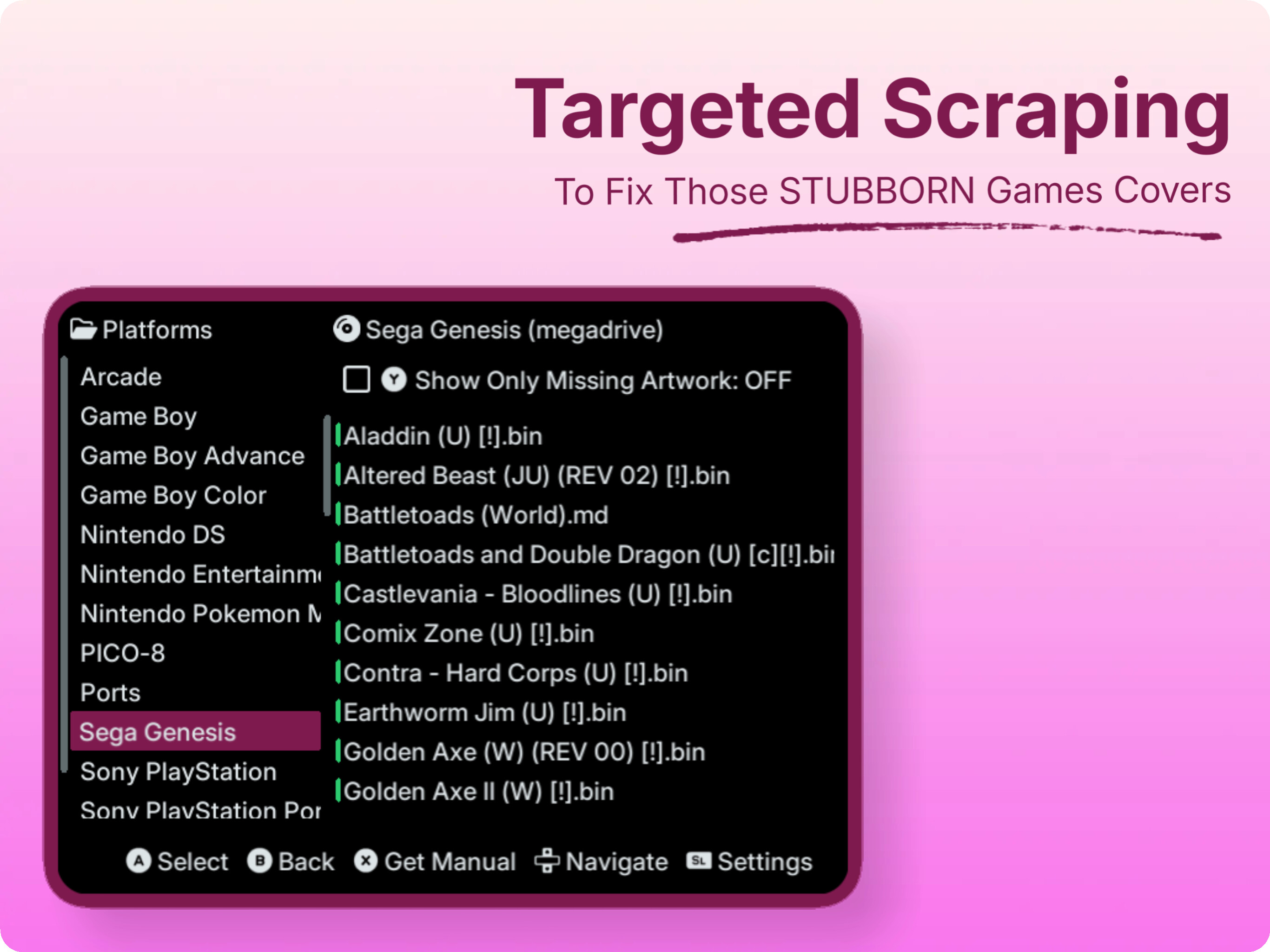
# Scrappy

> Maintained fork by **saitamasahil** · Original author **gabrielfvale** · Original repo: [GitHub - gabrielfvale/scrappy: An artwork scraper featuring a Skyscraper backend. Built with LOVE2D for muOS. · GitHub](https://github.com/gabrielfvale/scrappy)
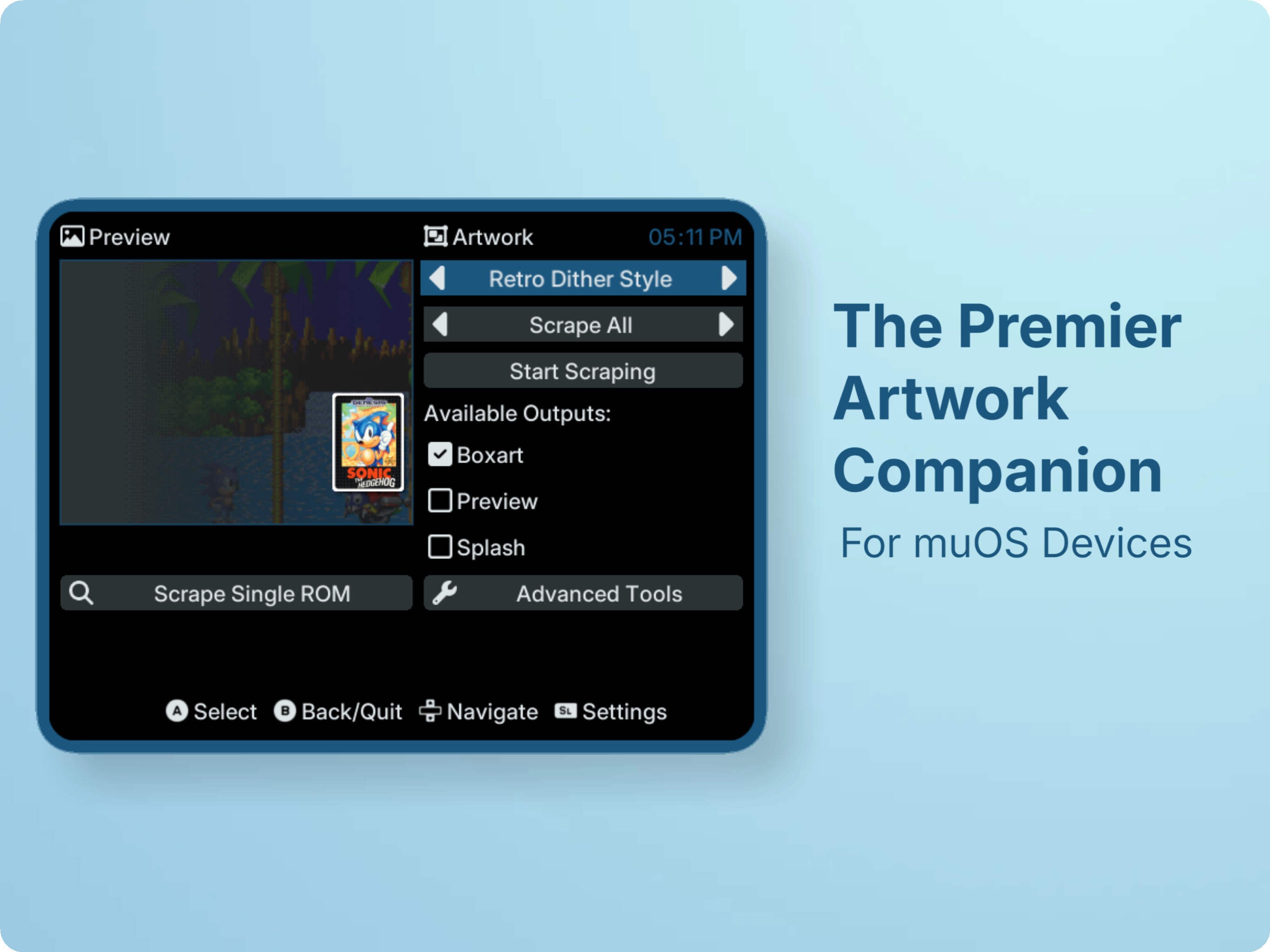
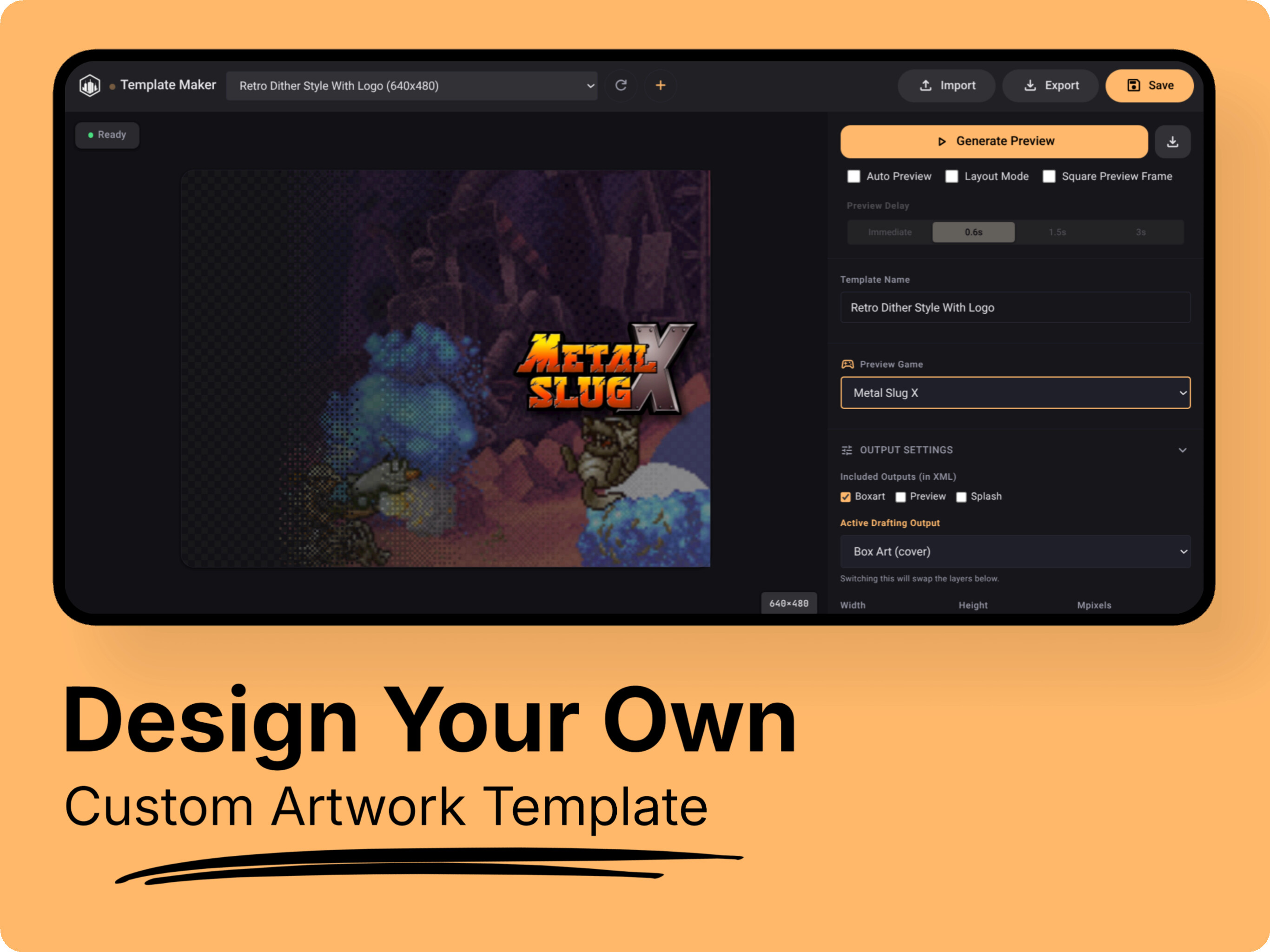
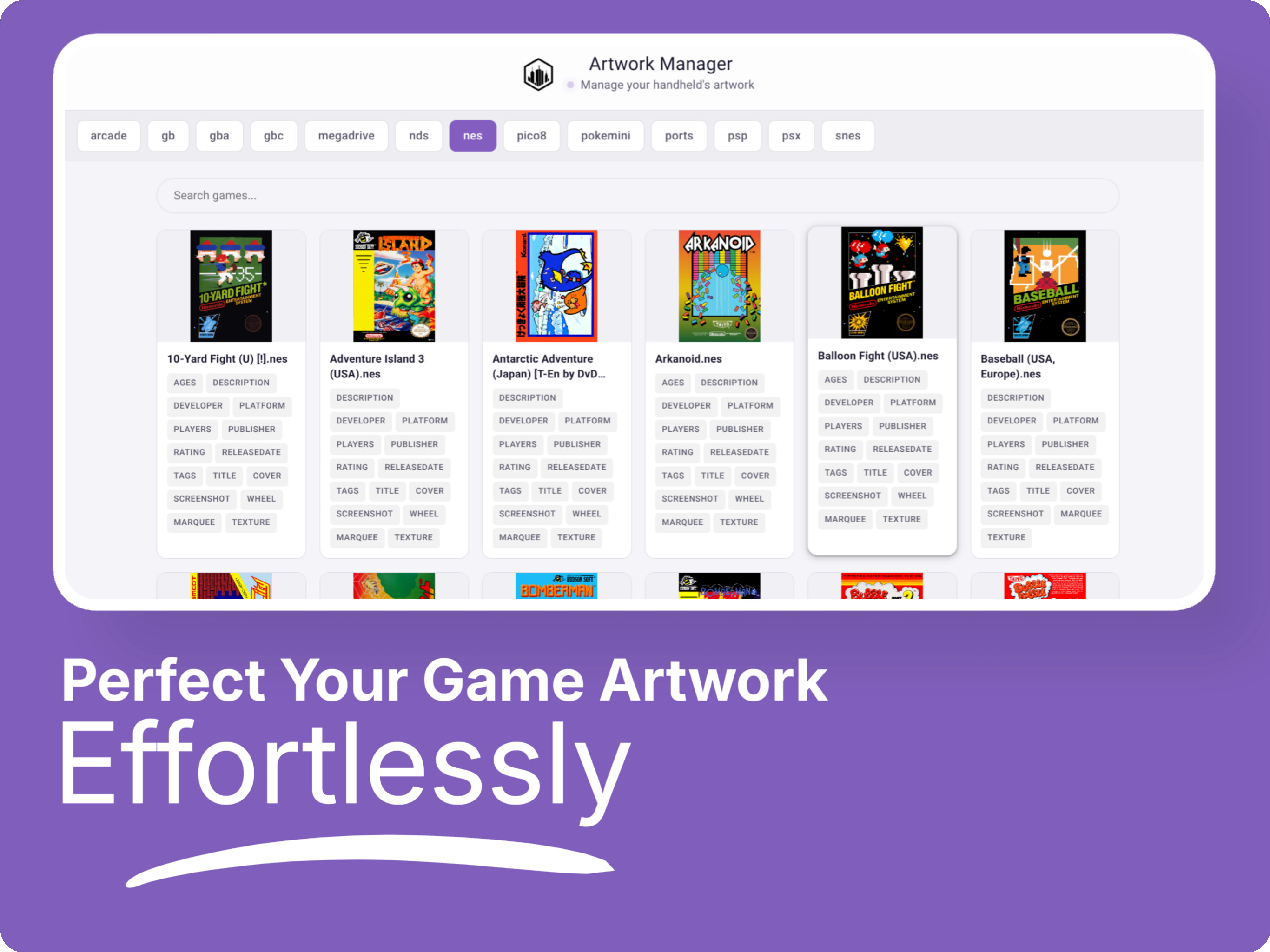
Scrappy is an artwork scraper for muOS, with the standout feature of incorporating a fully-fledged **Skyscraper** app under the hood. This integration enables near-complete support for artwork XML layouts, allowing Scrappy to scrape, cache assets, and generate artwork using XML mixes with ease. This fork of Scrappy is maintained to improve compatibility with muOS, add new features, provide ongoing updates, and ensure long-term support while staying true to the original vision of the project.
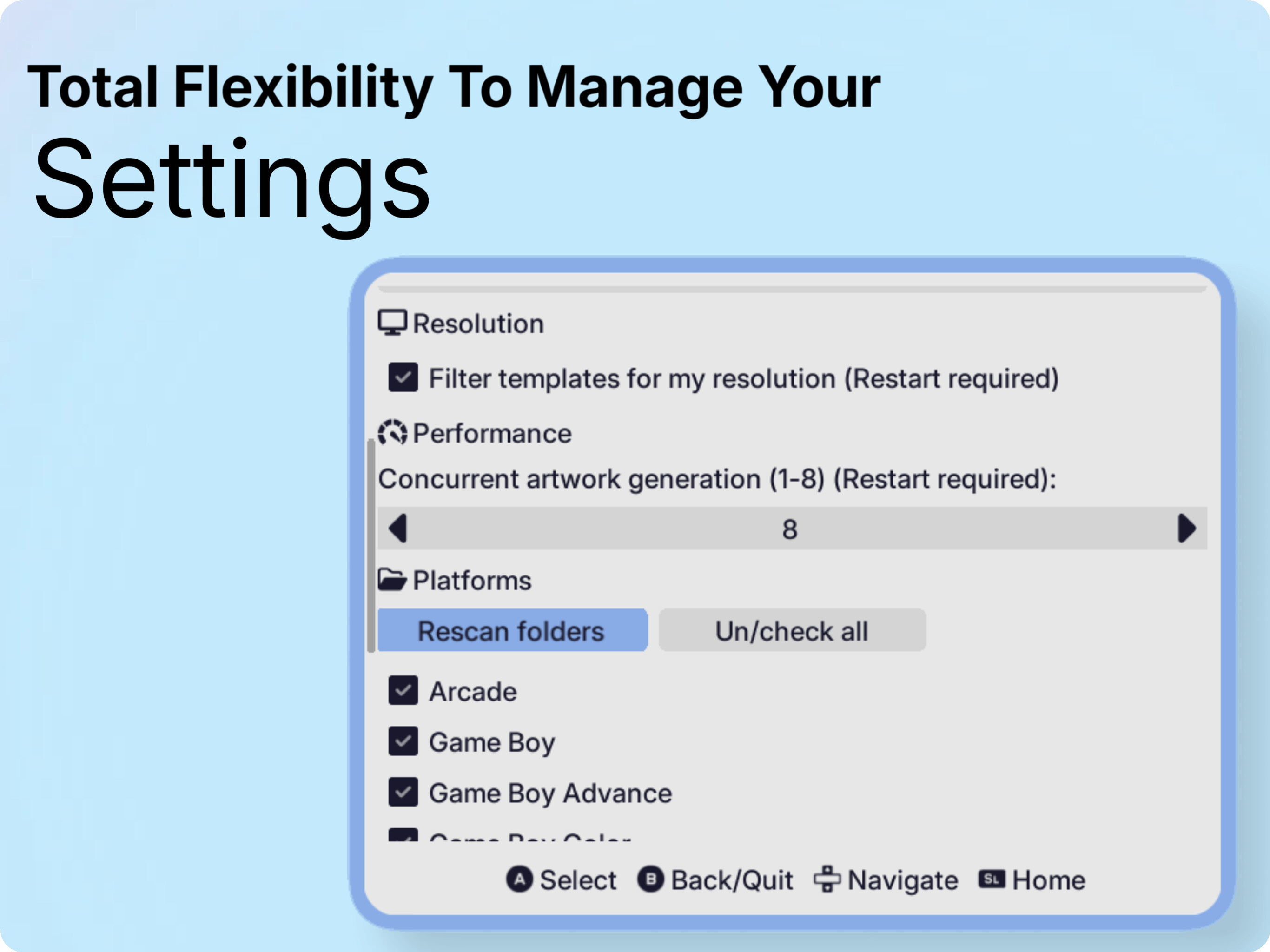
## A Visual Tour




## Installation
To install Scrappy, follow these steps:
1. Download the [latest release](https://github.com/saitamasahil/scrappy/releases) (not the update package - that’s for OTA!).
2. Move the downloaded file to the `/mnt/mmc/MUOS/ARCHIVE` folder.
3. Open **Archive Manager** and select the file to install.
4. After installation, you’ll find an entry called “Scrappy” in the **Applications** section.
5. Please read the [Wiki](https://github.com/saitamasahil/scrappy/wiki/Getting-Started) for more info on installation and configuration.
## Supporting the project
If you find this project useful, please consider leaving a [star on GitHub](https://github.com/saitamasahil/scrappy)
If you would like to support my work & this fork further, you can donate here:
[](https://ko-fi.com/saitamasahil)
## Contributing
Contributions to Scrappy are welcome! Please fork the repository, make your changes, and submit a pull request.
---
### Author:  [@Jamato](https://community.muos.dev/u/Jamato)
#### Post date: [January 8, 2026, 8:54pm UTC](https://community.muos.dev/t/scrappy-fork-for-muos-an-artwork-scraper-powered-by-skyscraper/1218/2 "2026-01-08T20:54:29Z")
Love the new features! I quickly found which art was missing and downloaded it. Template variety is great. App stability us much higher. Awesome work! 👍
---
### Author:  [@ESpiral](https://community.muos.dev/u/ESpiral)
#### Post date: [January 9, 2026, 12:52am UTC](https://community.muos.dev/t/scrappy-fork-for-muos-an-artwork-scraper-powered-by-skyscraper/1218/3 "2026-01-09T00:52:51Z")
I don’t know what’s going on but doing a single scrape works. But when I do multiple at the same time like for example “scrape all” it always fail.
Device: Cubexx with the latest firmware and Scrappy version.
---
### Author:  [@sahil](https://community.muos.dev/u/sahil)
#### Post date: [January 9, 2026, 4:04am UTC](https://community.muos.dev/t/scrappy-fork-for-muos-an-artwork-scraper-powered-by-skyscraper/1218/4 "2026-01-09T04:04:40Z")
What’s the error you are getting? Are you using v5? Can you provide logs.
---
### Author:  [@ESpiral](https://community.muos.dev/u/ESpiral)
#### Post date: [January 9, 2026, 7:30pm UTC](https://community.muos.dev/t/scrappy-fork-for-muos-an-artwork-scraper-powered-by-skyscraper/1218/5 "2026-01-09T19:30:30Z")
Yes I have the latest version
Here is the log: [scrappy-2026-01-09-08-39](http://www.mediafire.com/file/tywwsgmujhdulfn/scrappy-2026-01-09-08-39.log)
---
### Author:  [@eggdogggo](https://community.muos.dev/u/eggdogggo)
#### Post date: [January 9, 2026, 9:13pm UTC](https://community.muos.dev/t/scrappy-fork-for-muos-an-artwork-scraper-powered-by-skyscraper/1218/6 "2026-01-09T21:13:17Z")
Wow this is great though I had a few issues with scrapping with the option set for more than 2. I just thought it’s because I have a free screenscraper account. Anyway it took 6 hours to scrape 400 games and they all got box art except for 7 games. Good work 😊
---
### Author:  [@sahil](https://community.muos.dev/u/sahil)
#### Post date: [January 10, 2026, 2:59am UTC](https://community.muos.dev/t/scrappy-fork-for-muos-an-artwork-scraper-powered-by-skyscraper/1218/7 "2026-01-10T02:59:15Z")
Can u tell exactly what issue u faced? Scraping stuck at the very end?
---
### Author:  [@raiod](https://community.muos.dev/u/raiod)
#### Post date: [January 13, 2026, 2:02pm UTC](https://community.muos.dev/t/scrappy-fork-for-muos-an-artwork-scraper-powered-by-skyscraper/1218/8 "2026-01-13T14:02:27Z")
Hi Sahil, I have a Brick with MuOS and a VERY large collection on my SD Card. I tried to scrape my 2.6k arcade game collection, and it was working without problems although i had it plugged into the charger (which would crash it in previous versions). I left it for the night and today morning it was at 2.1k and stopped responding after i canceld the scraping. I had to hard boot the device. Now, everytime I entery Scrappy, it says no devices are selected when i try to scrape and as soon as i exit Scrappy, my device gets a black screen and does not respond until hard reboot. Do you want any log files (if there are any…)?
---
### Author:  [@sahil](https://community.muos.dev/u/sahil)
#### Post date: [January 13, 2026, 2:08pm UTC](https://community.muos.dev/t/scrappy-fork-for-muos-an-artwork-scraper-powered-by-skyscraper/1218/9 "2026-01-13T14:08:33Z")
Hey man, it’s recommended to scrape per platform if u have this much larger collection… Also don’t worry about 2.1k roms. Scrappy should have cached them… If possible please contact me via telegram [Telegram: Contact @saitama\_96](http://t.me/saitama_96). I will send u test v5.0.2 which has some fixes for stuck issue…
---
### Author:  [@ESpiral](https://community.muos.dev/u/ESpiral)
#### Post date: [January 13, 2026, 2:17pm UTC](https://community.muos.dev/t/scrappy-fork-for-muos-an-artwork-scraper-powered-by-skyscraper/1218/10 "2026-01-13T14:17:29Z")
That’s a lot. At this point I’d use the command line instead. But what’s good about Scrappy is it scrape previews and Splash arts now directly.
---
### Author:  [@Ghgamer](https://community.muos.dev/u/Ghgamer)
#### Post date: [January 16, 2026, 12:33pm UTC](https://community.muos.dev/t/scrappy-fork-for-muos-an-artwork-scraper-powered-by-skyscraper/1218/11 "2026-01-16T12:33:36Z")
Hi man, so i have this recently insatlled on my 35xxsp from v2.2.1 but this version isnt opening when i click on it. How do i fix that
---
### Author:  [@sahil](https://community.muos.dev/u/sahil)
#### Post date: [January 16, 2026, 12:35pm UTC](https://community.muos.dev/t/scrappy-fork-for-muos-an-artwork-scraper-powered-by-skyscraper/1218/12 "2026-01-16T12:35:08Z")
U installed it on top of v2.2.1? If yes, remove scrappy from muos/application folder. Install full package again…
---
### Author:  [@Ghgamer](https://community.muos.dev/u/Ghgamer)
#### Post date: [January 17, 2026, 1:45am UTC](https://community.muos.dev/t/scrappy-fork-for-muos-an-artwork-scraper-powered-by-skyscraper/1218/13 "2026-01-17T01:45:20Z")
Hi, so i did exactly just that and the results are still the same. Even re-did the entire installation again then rebooted the system but its still wont open after i see “loading application”
---
### Author:  [@Sekira](https://community.muos.dev/u/Sekira)
#### Post date: [January 18, 2026, 2:45pm UTC](https://community.muos.dev/t/scrappy-fork-for-muos-an-artwork-scraper-powered-by-skyscraper/1218/14 "2026-01-18T14:45:37Z")
Yo, thanks for this wonderful app. I managed to make covers for almost my entire collection overnight. But I’d like to ask why it skips some games, even though their covers definitely exist on ScreenScraper. How can this be fixed?
---
### Author:  [@sahil](https://community.muos.dev/u/sahil)
#### Post date: [January 18, 2026, 2:48pm UTC](https://community.muos.dev/t/scrappy-fork-for-muos-an-artwork-scraper-powered-by-skyscraper/1218/15 "2026-01-18T14:48:10Z")
Like super metroid failing to scrape?
---
### Author:  [@Ghgamer](https://community.muos.dev/u/Ghgamer)
#### Post date: [January 18, 2026, 4:56pm UTC](https://community.muos.dev/t/scrappy-fork-for-muos-an-artwork-scraper-powered-by-skyscraper/1218/16 "2026-01-18T16:56:42Z")
Installed the full package from GitHub and it still isnt launching
---
### Author:  [@sahil](https://community.muos.dev/u/sahil)
#### Post date: [January 18, 2026, 4:59pm UTC](https://community.muos.dev/t/scrappy-fork-for-muos-an-artwork-scraper-powered-by-skyscraper/1218/17 "2026-01-18T16:59:10Z")
Device? Tbh i can’t say anything without logs. And if it’s not opening then it won’t record any logs. Are you on latest muOS? It can be anything if the app isn’t opening.
---
### Author:  [@Ghgamer](https://community.muos.dev/u/Ghgamer)
#### Post date: [January 18, 2026, 5:01pm UTC](https://community.muos.dev/t/scrappy-fork-for-muos-an-artwork-scraper-powered-by-skyscraper/1218/18 "2026-01-18T17:01:38Z")
my device is the Rg35xxsp running on pixie 2502.0
---
### Author:  [@sahil](https://community.muos.dev/u/sahil)
#### Post date: [January 18, 2026, 5:02pm UTC](https://community.muos.dev/t/scrappy-fork-for-muos-an-artwork-scraper-powered-by-skyscraper/1218/19 "2026-01-18T17:02:35Z")
Ah that’s the problem. On pixie my version won’t work. It’s specifically for muOS Goose(Latest muOS). For pixie use original version of scrappy.
---
### Author:  [@Ghgamer](https://community.muos.dev/u/Ghgamer)
#### Post date: [January 18, 2026, 5:03pm UTC](https://community.muos.dev/t/scrappy-fork-for-muos-an-artwork-scraper-powered-by-skyscraper/1218/20 "2026-01-18T17:03:58Z")
Noted then, thanks for the response
[Next page](https://community.muos.dev/t/scrappy-fork-for-muos-an-artwork-scraper-powered-by-skyscraper/1218.md?page=2)