Hey everyone! Today I’m presenting my new app: a faithful feature-packed port of the classic puzzle game 2048 optimized specifically for muOS.
I wanted a polished, authentic experience on handhelds, so this port is built using the LÖVE framework and takes direct design inspiration from the popular open-source Android version by tpcstld. In addition to the original gameplay, I have introduced numerous new features, including multiple game modes, an achievement system, and a wide variety of themes to enhance the overall experience.
Features
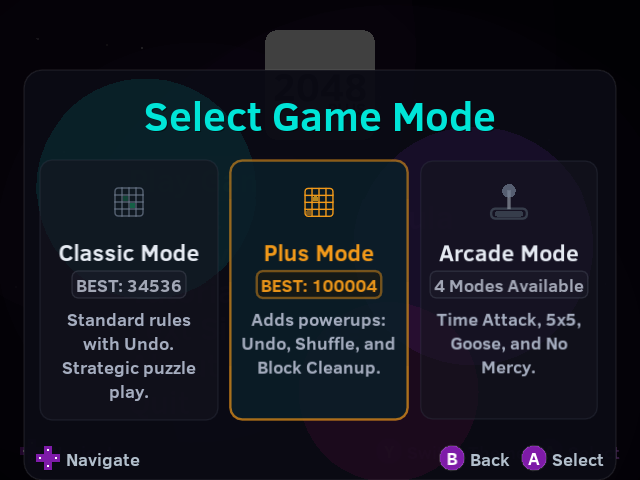
Game Selection Mode: A beautifully animated carousel menu screen for seamlessly selecting between Classic, Plus, and Arcade modes.
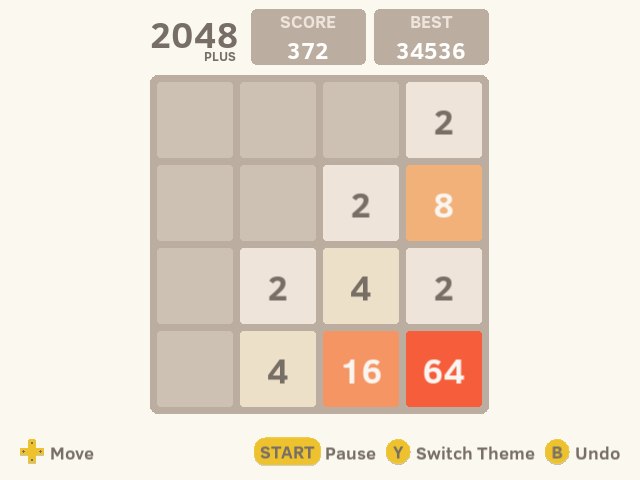
Classic & Plus Modes: Enjoy the original 2048 puzzle experience, or switch to the new Plus Mode which introduces strategic powerups!
Plus Mode Powerups: In Plus Mode, earn Bomb, Swap, and Undo powerups by reaching new tile milestones (128, 256, 512, etc.). Use them to destroy unwanted tiles, swap adjacent tiles, or revert mistakes.
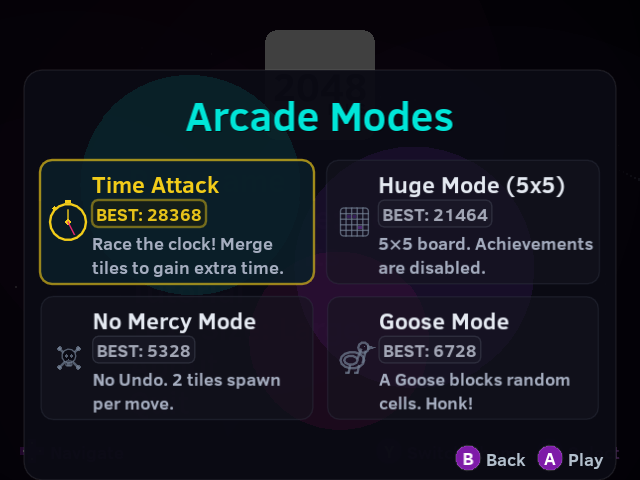
Arcade Modes: Choose from 4 unique game modes — each with its own rules, challenges, and exclusive unlockable themes:
Time Attack: Race against a 60-second countdown clock. Merge larger tiles (32+) to earn time extensions.
Huge Mode (5x5): A spacious 5×5 grid for a more relaxed play style.
No Mercy: Hardcore mode — no undos, no powerups, two tiles spawn every move.
Goose Mode: A chaotic mode where a silly Goose tile waddles around the board, blocking random cells.
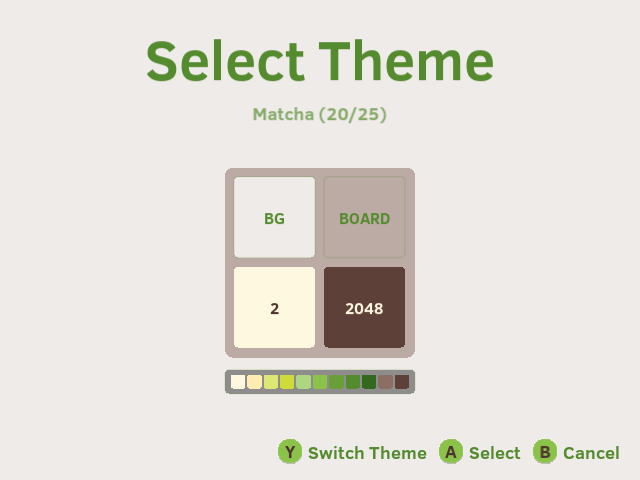
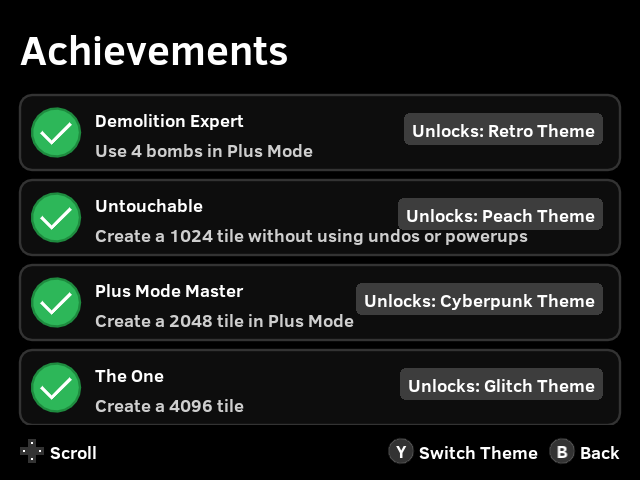
Achievements & Unlockable Themes: Track your progress by unlocking 23 unique achievements, ranging from reaching high tiles to mastering arcade modes. Completing achievements rewards you with beautifully crafted custom themes — 25 themes total!
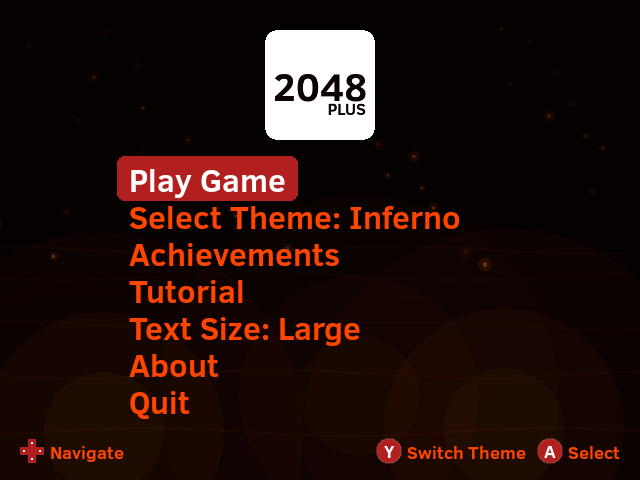
Dynamic Animated Backgrounds: Premium themes (Aurora, Nebula, Inferno, Honk, Matrix, Glitch) feature layered, animated background effects like aurora curtains, twinkling starfields, rising embers, water ripples, falling green digital rain, and cyberpunk glitch effects.
Themes: Instantly toggle between unlocked themes with a beautifully animated reveal. Your theme preference is saved automatically!
Smooth Screen Transitions: Enjoy polished crossfade transitions when navigating between screens.
Auto-Save & Resume: Your progress, board state, and score are saved automatically after every move. Close the game anytime and pick up right where you left off.
Interactive Pause Menu: A built-in pause overlay makes it easy to safely quit the app or restart a new game cleanly.
Undo System: Made a mistake? Press B to undo your previous move (unlimited in Classic Mode, consumes a powerup in Plus Mode).
High Scores: Automatically tracks and preserves your best score.

Accurate Aesthetics: Uses the exact color palette, typography, and smooth slide/merge animations from the beloved Android version, complete with an elegant glowing win animation.
Standalone Package: Bundled as a standard .muxapp package for effortless installation on muOS with dynamic UI scaling for different resolutions.
Note: Perhaps a well-known secret sequence of buttons might reveal something special…?
Installation on muOS
Download the latest .muxapp file from the Releases page.
Move the downloaded file to the /mnt/mmc/MUOS/ARCHIVE folder on your SD card.
Open Archive Manager on your device and select the file to install.
After installation, you’ll find an entry called “2048 Plus” in the Applications section.
Visual Showcase
Splash Animation
Splash animation dynamically changes colors based on the selected theme.
If I use dpad to move but no tile has move (due to that direction can not move/combine any tile), the undo won’t work as expected.
Also I found a loop hole. If I use undo, and redo the step, the new number will randomly appear, so if I’m stuck, I can use this to get to a new situation (Don’t fix this please, I need it )
haha, I kinda knew about second bug because it existed in android version too… I left it there because it made game easy & more fun. On discord someone reported this same too…
But i guess i will have to remove it in favour of making a good port. Thanks for reporting
Thanks to @eggdogggo@D98Jay for testing and giving feedback to improve it.
Changelog
Added
Plus Mode: A brand new game mode featuring powerful power-ups like Swap and Bomb to help you get out of tricky situations.
Achievements System: Added a comprehensive achievements system. Track your progress & view your completed achievements in the new dedicated Achievements menu.
Themes System & Unlockables: Introduced a massive collection of 18 beautiful themes! Themes are unlocked progressively as you reach higher tiles.
Dynamic Theme Transitions: Switching themes now features a gorgeous, buttery-smooth circular ripple animation.
Tutorial: Added a step-by-step tutorial to help new players learn the ropes of both Classic and Plus modes.
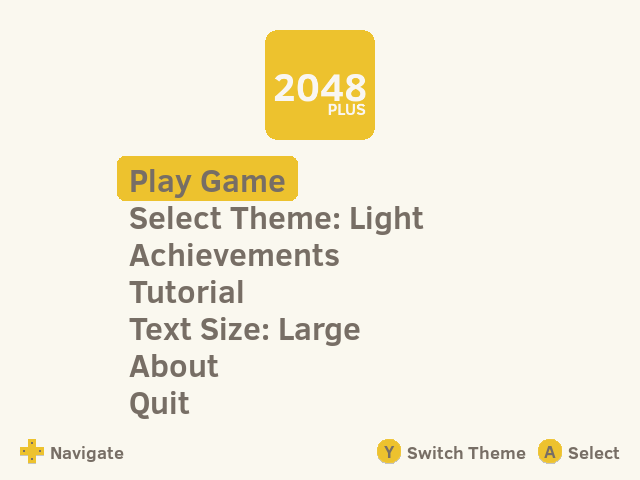
Text Size Options: You can now toggle between Normal and Large text sizes from the main menu for better readability on different screens.
About Section: Added an About section in the main menu.
???: Perhaps a well-known secret sequence of buttons might reveal something special…?
Changed
The main menu has been fully restructured to seamlessly accommodate all the new features, modes, and settings.
UI elements, message boxes, and overlays now perfectly scale and adapt depending on your selected text size.
Improved rendering precision for the board grid to ensure perfectly symmetrical margins.
This release officially renames the game from 2048 to 2048 Plus.
If you are upgrading from a previous version of 2048, your existing save data can be migrated to the new game using the included Migrate 2048 Saves utility.
Save Migration Instructions
Install 2048 Plus v3.0.0.
Using Archive Manager, install Migrate 2048 Saves.muxapp.
A new application named Migrate 2048 Saves will appear in your Apps menu.
Launch the application to automatically transfer all save data, achievements, statistics, and unlocked content from the old version to 2048 Plus.
Once the migration is complete, the utility will automatically remove the old 2048 installation and uninstall itself.
Your progress will be preserved, allowing you to continue playing seamlessly in 2048 Plus.
Changelog
Added
Game Selection Mode: A newly designed, beautifully animated carousel menu screen for seamlessly selecting between Classic, Plus, and Arcade modes.
Arcade Modes: Introduced a brand-new arcade mode with different game modes to play.
Time Attack Mode: A fast-paced new mode where you race against a 60-second countdown clock. Merge larger tiles (32+) to earn crucial time extensions.
Huge Mode (5x5): A spacious new board layout featuring a 5x5 grid for a more relaxed play style.
No Mercy Mode: A high-tension hardcore challenge where undos and power-ups are disabled, and two new tiles spawn after every single move.
Goose Mode: A chaotic fun mode where a silly animated Goose tile waddles around the grid, blocking a random empty cell and walking after every turn. Undos and power-ups are disabled.
Arcade Achievements & Themes: Each arcade mode now has a dedicated achievement that unlocks an exclusive premium theme with dynamic animated backgrounds.
Dynamic Backgrounds: Premium themes (Aurora, Nebula, Inferno, Honk, Matrix, Glitch) feature layered, animated background effects like aurora curtains, twinkling starfields, rising embers, water ripples, falling green digital rain, and cyberpunk glitch effects.
Smooth Screen Transitions: Added crossfade transitions when navigating between screens.
Changed
Rebranded and renamed the game to “2048 Plus” across configuration files, launcher scripts, package layouts, and system headings.
Redesigned and aligned the stacked “2048 PLUS” main menu and gameplay header logos.
Plus Mode Balancing: Reduced the rate at which power-ups are awarded to make the gameplay significantly more strategic and challenging.
Demolition Expert Achievement: Reduced the required bomb usage count from 10 to 4 in Plus Mode.
Fixed
UI & Stability: Implemented minor user interface enhancements and general bug fixes for a smoother, more polished experience.

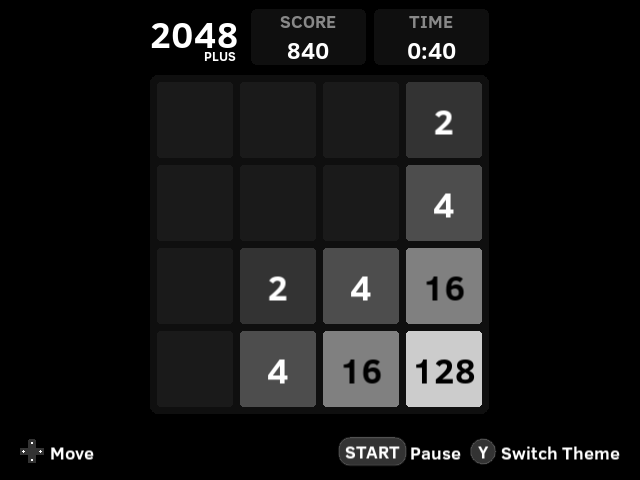
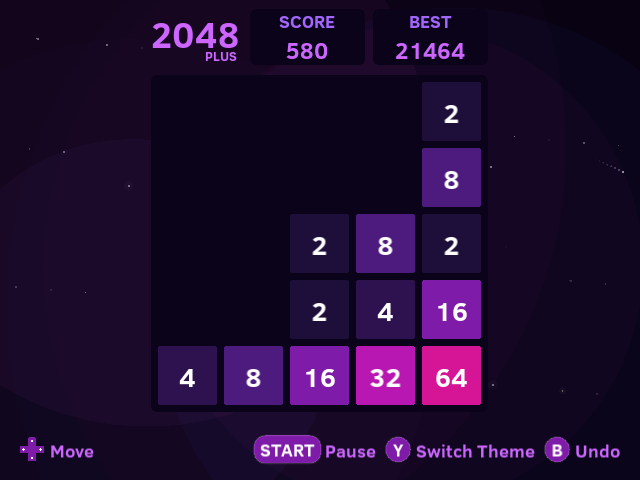

 )
)

