Hi there!
I’m bgelmini, and if you are using Andromeda and enjoying pickles, the default MustardOS frontend for emulation, you may have been wondering: how about those CRT and LCD shaders like I’m used to from retroarch?
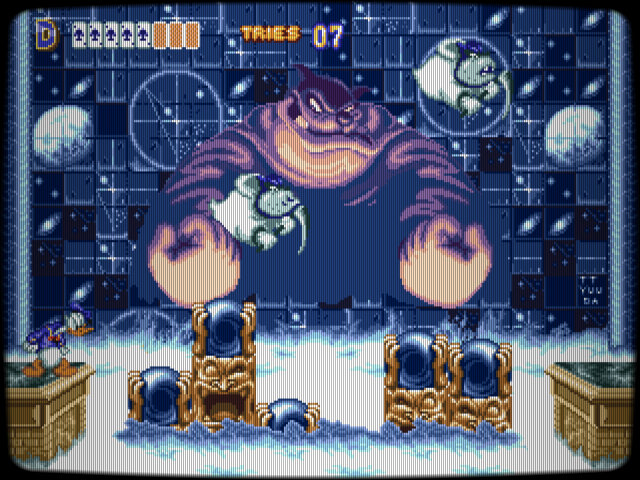
Example of the
bagel-CRT-mini shader preset on a 640x480(RG35XX-H) screen.
I compiled/build some shader options for those use cases, and I liked them a lot, so I wanted to share with the community!
You can download them while running any game with pickles.
- Launch any game that run via pickles.
- Use the
menuorFbutton fo call in the quick menu. - Go to
SettingsthenVisuals 3/10 - Select
Shadersand go toDownloads, thenbgelmini. - Shaders are pretty small and you can download them all without any worries!
- With
B, get back twice, out of the downloads menu, and now thebgelminifolder should be there for you to select any of my presets!
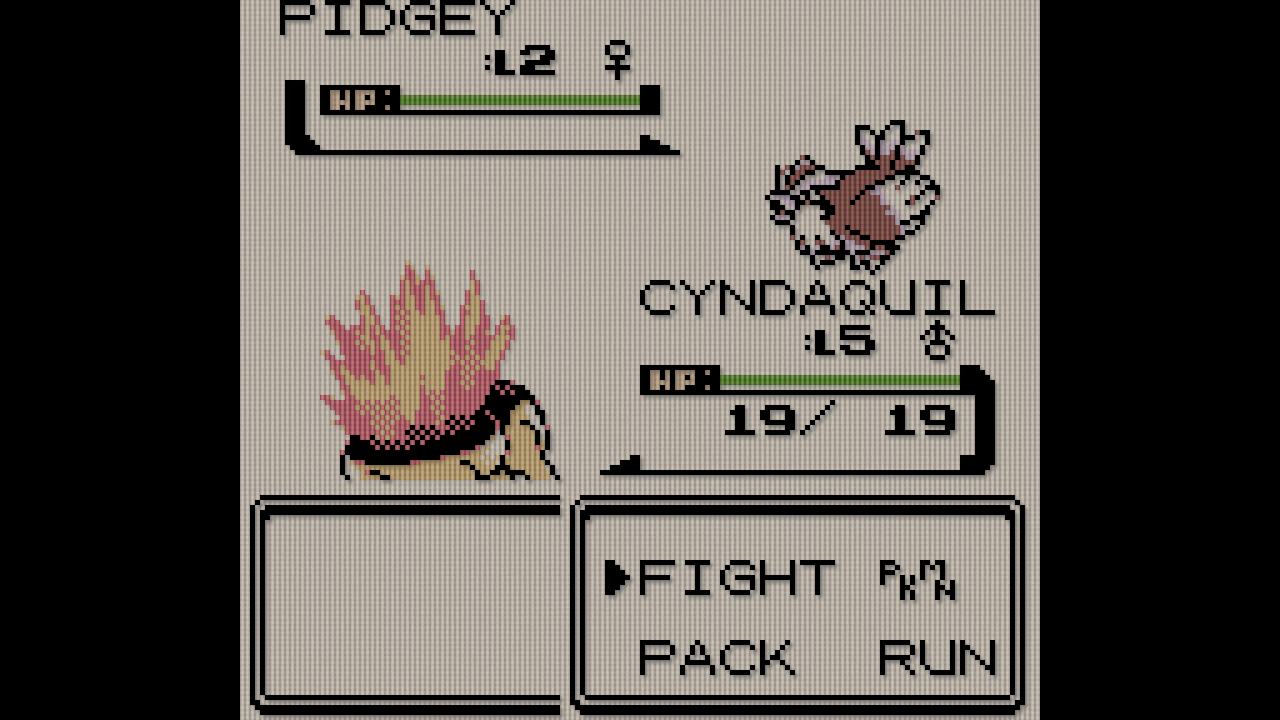
Example of the
bagel-LCD-mini-Background shader preset on a 1280x720(TSP) screen.
While in the Visuals 3/10 sub menu, you can hold the Menu or F button to check how the game image is looking with your selected shader, but most importantly, you can press Y over the shader to bring up some very fun parameters to tweak!
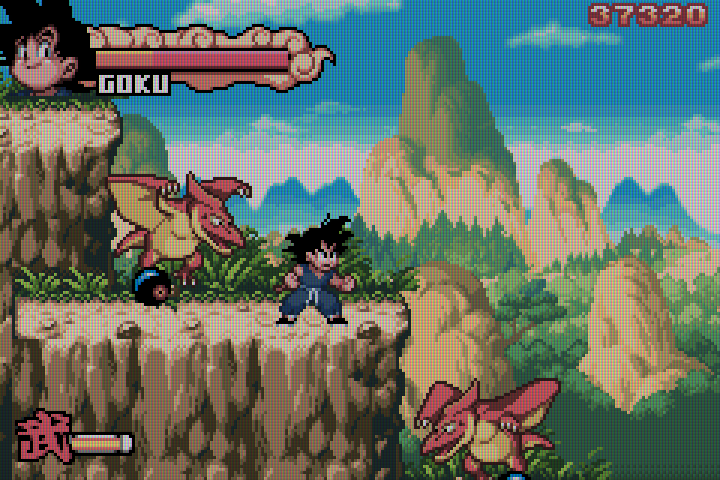
Example of the
bagel-LCD-mini shader preset on a 720x480(RG34XX-H) screen.
Both bagel-CRT-mini and bagel-LCD-mini come with baked in pixel balancing filters, so they should look good even when not using integer scaling!
But, using integer or aspect ratio as scaling modes could give you a crisper image, and improve performance a bit.
bagel-CRT-mini
All CRT-mini presets are built by just tweaking the parameters of the base shader, so you should also check what everything does and create your own personal variations!
Some of the fun parameters here are:
- Dither Merge - For that classic composite blur that blends dither and creates more colours or transparencies, like the classic Sonic waterfalls on the mega drive. The Dot Crawl option also adds some of that composite flavor to the image.
- RF Ghosting - Classic bad signal RF ghosting! A static more usable version, and a bad motion tuning option. Turns megaman into meganen

- Noise - Some static noise is a staple of a bad connection on an old tv!
- Vertical Roll - Simulates a CRT losing vertical sync from time to time.
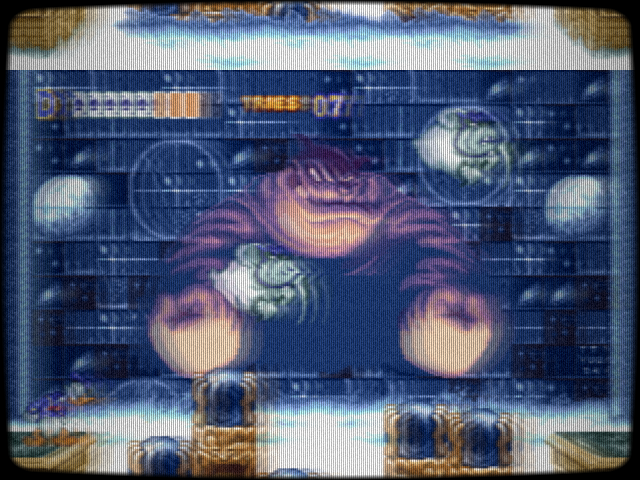
Example of the
bagel-CRT-mini-BadRF shader preset on a 640x480(RG35XX-H) screen.
bagel-LCD-mini
All LCD-mini presets are also built by just tweaking the parameters of the base shader, but there are some cool options you can use to customize the defaults or even tweak the background variant of the shader!
Some of the fun parameters here are:
- Grid - Select the classic look of the lcd3x(RGB) grid, or the more defined and elegant look of the lcd1x(Mono) grid. Important: RGB is a lot heavier on the GPU, so if performance is suffering when pairing with other parameters, try using the Mono option.
- Border Fade - A favorite of mine! A small border fade/vignette that connects the image with the end of the screen.
- LCD Background - Inspired by the Pixel Transparency shader, it tries to recreate the look of old LCD displays where the paper background actually could be seen through clear/white pixels of the image.
- Background Color - Choose the tint of the paper at the back of your screen that will be seen trough it.
- Fake Ghosting - Have you ever had an old bad LCD based device that you had to look exactly at the right angle to get a good image, but most of the time it had a strange ghosting like your eyes were being hit by a bad 3D image? That’s it.
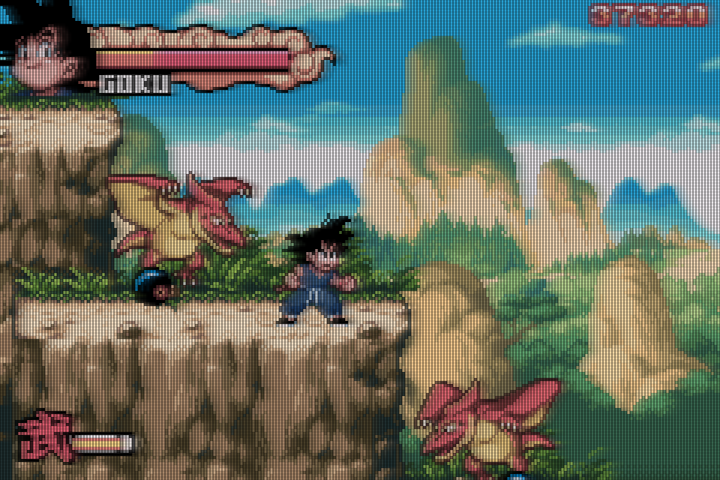
Example of the
bagel-LCD-mini-FakeGhost shader preset on a 720x480(RG34XX-H) screen.
You can check a live comparison thingy in this link: bagel-mini comparisons
You can check the git I use to keep those up in here: GitHub - bgelmini/bagel-mini-shaders: Collection of shaders and overlays primarily for MustardOS · GitHub
Don’t forget to also check the other great and fun shaders people made available for the community, all via the download function in Pickles!
Just don’t spend your whole night testing shaders, remember to also play some games!
Have fun!!!
For those with devices that don’t have built in wifi, you can manually download the shaders from this link: Release Version 3.6 - Performance updates · bgelmini/bagel-mini-shaders · GitHub
Grab the .frag files and put them in /MUOS/pickles/shader/bgelmini (you will need to create the bgelmini folder) at the root of sd1, or sd2 if you moved your pickles stuff there.
You can also put them in /MUOS/wasabi/shader/bgelmini to watch movies, series or live tv. The BadRF shader is really fun for that!
Bye!