So, MuOS noob here running Jacaranda on a Cubexx. Pretty sure it’s something I’ve done or haven’t done that’s caused the issue.
I tried to install Scrappy, and it kept complaining that “there are no platforms to scrape, Make sure your ROM folders have muOS cores assigned to them.”
I definitely have muOS cores assigned to them - I checked each populated folder and they have cores assigned to them. I gave up on Scrappy after fiddling with various settings ad nauseam.
I then found out about Artie, which I installed and configured. Joy of joys, it started downloading art! It finished, and when I rebooted… nada. No box art in displayed.
So some things I investigated, and or information that might help track down the issue:
- Box art is shown for newly installed Portmaster and some PICO-8 games. This tells me that muOS is set to show the art - if it can find it.
- I put all of my games on SD2. I also have the following configured to be on SD2:
- System BIOS
- Metadata Catalogue
- Content Collection
- Save Games and Save States
- Screenshots
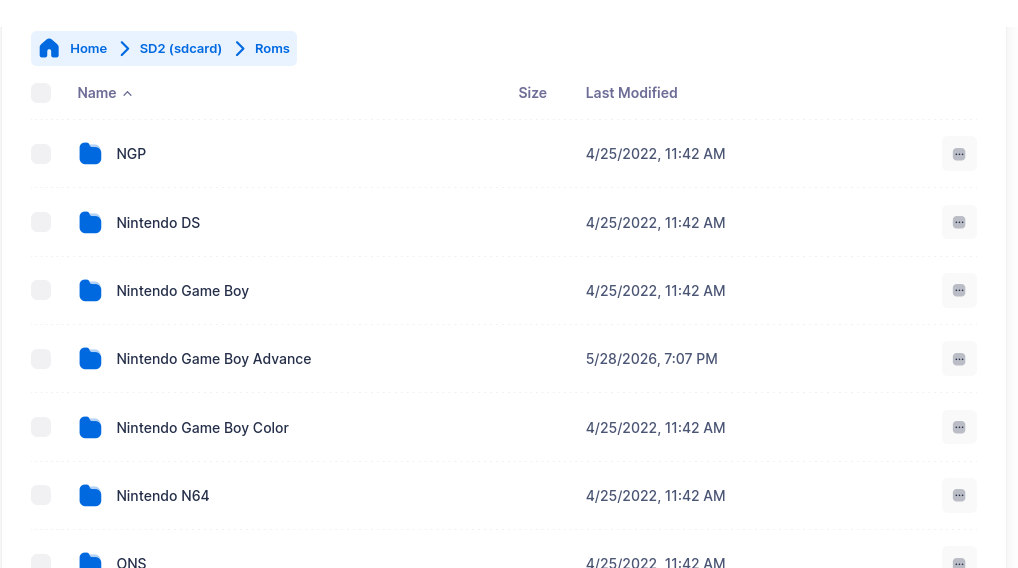
- I initially copied the roms that came with the Cubexx onto SD2, and placed them in a folder called Roms. In this folder, there are empty directories which may or may not have cores assigned to them, but the PS1 folder, Super Famicom and Pico-8 and others that I’m interested in are DEFINITELY assigned.
- I did play with the folder names for a couple of cores.
- I ran the Refresh Automatic Core Assign tool in TASK TOOLKIT and that seemed to work fine. I can still play all of my games.
Any ideas about what I can try to get my box art to show up, or to get Scrappy/Artie to put it in the right place? Cheers all.