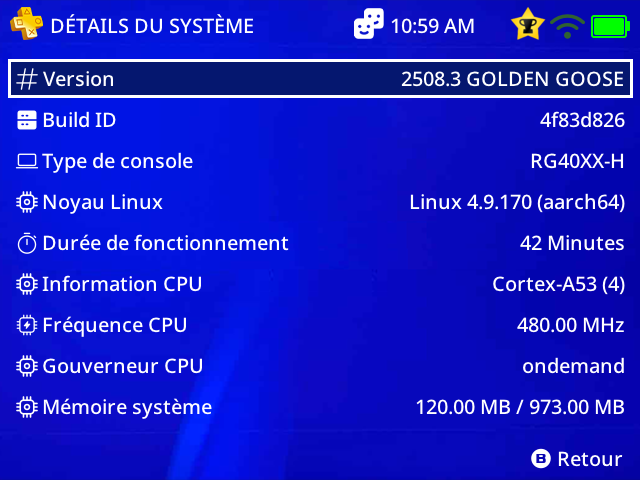
Just to mention the new fonction of Grid Carousel have the wrong valor…
LOCATION_X = 0 make the first icon on left, i need to use -xx to move on right
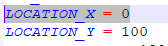
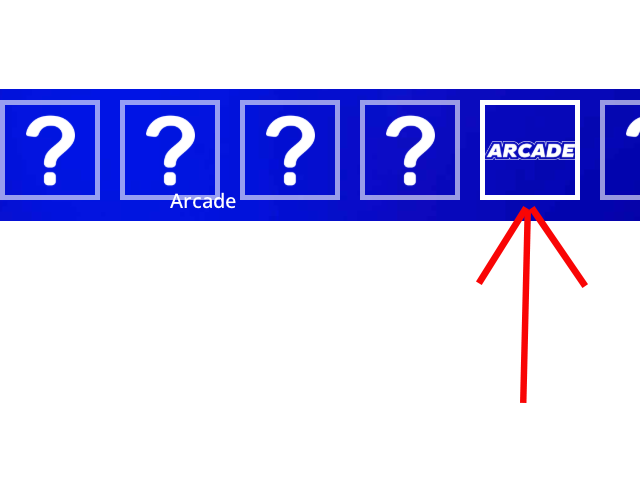
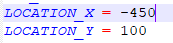
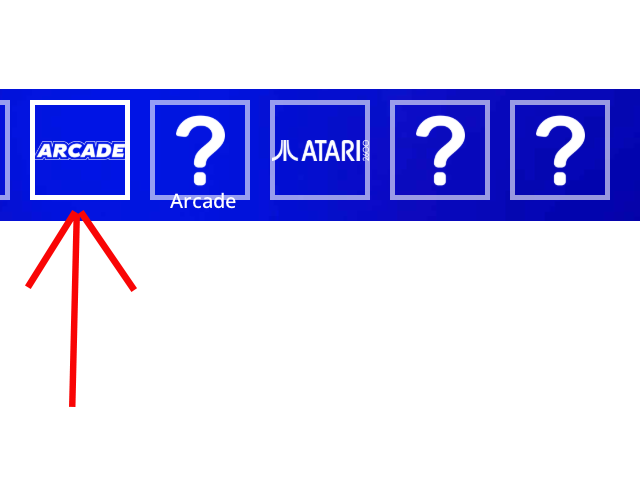
maybe a fixe soon…
location has to do with the position of the grid not which item has focus. In carousel mode the middle item will always have focus. in a horizontal carousel column count should be set to how many items are on screen at one time.
Also carousel mode is only available in Golden Goose if you have not updated.
ok thanks for the tip but with many icon, the first icon is go always on right…
yes im always on last muos system update…
You’re configuring it wrong look at the sample themes. Column count for a horizontal theme should be an odd number and should be the number of items on screen at one time
on main menu, i use the same config on all menu and all working but not on main menu, on muxlaunch, it give me a ROW_COUNT = 2 but on my text file, i have ROW_COUNT = 1.. and when i move icon, i have 3 top icon and 5 bottom icon and not a one list like other page…
here is my config :
[grid]
NAVIGATION_TYPE = 2
BACKGROUND_ALPHA = 0
COLUMN_COUNT = 11
ROW_COUNT = 1
LOCATION_X = -455
LOCATION_Y = 60
COLUMN_WIDTH = 115
ROW_HEIGHT = 120
CELL_WIDTH = 110
CELL_HEIGHT = 110
CELL_IMAGE_PADDING_TOP = 0
CELL_TEXT_PADDING_BOTTOM = 0
CELL_COLUMN_ALIGN = 0
CELL_ROW_ALIGN = 0
CELL_RADIUS = 0
CELL_BORDER_WIDTH = 5
CELL_IMAGE_PADDING_BOTTOM = 155
CELL_DEFAULT_BACKGROUND = 292929
CELL_DEFAULT_BACKGROUND_ALPHA = 0
CELL_DEFAULT_BORDER = FFFFFF
CELL_DEFAULT_BORDER_ALPHA = 0
CELL_DEFAULT_IMAGE_ALPHA = 255
CELL_DEFAULT_IMAGE_RECOLOUR = ffffff
CELL_DEFAULT_IMAGE_RECOLOUR_ALPHA = 0
CELL_DEFAULT_TEXT = ffffff
CELL_DEFAULT_TEXT_ALPHA = 0
CELL_FOCUS_BACKGROUND = 3d3d3d
CELL_FOCUS_BACKGROUND_ALPHA = 0
CELL_FOCUS_BORDER = ffffff
CELL_FOCUS_BORDER_ALPHA = 255
CELL_FOCUS_IMAGE_RECOLOUR = ffffff
CELL_FOCUS_IMAGE_RECOLOUR_ALPHA = 0
CELL_FOCUS_TEXT = ffffff
CELL_FOCUS_TEXT_ALPHA = 0
CURRENT_ITEM_LABEL_ALIGNMENT = 9
CURRENT_ITEM_LABEL_WIDTH = 350
CURRENT_ITEM_LABEL_HEIGHT = 47
CURRENT_ITEM_LABEL_RADIUS = 0
CURRENT_ITEM_LABEL_BORDER_WIDTH = 5
CURRENT_ITEM_LABEL_BACKGROUND = FFFFFF
CURRENT_ITEM_LABEL_BACKGROUND_ALPHA = 0
CURRENT_ITEM_LABEL_BORDER_WIDTH=5
CURRENT_ITEM_LABEL_BORDER = FFFFFF
CURRENT_ITEM_LABEL_BORDER_ALPHA = 0
CURRENT_ITEM_LABEL_TEXT = FFFFFF
CURRENT_ITEM_LABEL_TEXT_ALPHA = 255
CURRENT_ITEM_LABEL_TEXT_ALIGNMENT = 1
CURRENT_ITEM_LABEL_OFFSET_X = 90
CURRENT_ITEM_LABEL_OFFSET_Y = -50
CURRENT_ITEM_LABEL_LABEL_LONG_MODE = 1
This one work well on Explore, Collection and Apps…
I change NAVIGATION_TYPE = 2 by 1 to 4 and nothing change…
if you’re on a 1280x720 device than your LOCATION_X is way off and should be 7.
if you’re on a 640x480 11 columns that are 115 pixels is 1265 pixels that is way too much it would need to be a column count of 5
If you’re device is showing multiple rows then you have an ini or an override somewhere with a row count greater than 1,
If you’re actually trying to have multiple rows well then that is not carousel mode.
ok thanks for the tips, i will test more…
i change the columm to 5 and i have always 2 row but i have only 1 on my .ini file 
it block on 3 on top and 5 on bottom
NAVIGATION_TYPE = 2
COLUMN_COUNT = 5
ROW_COUNT = 1
you have another .ini file that has ROW_COUNT set to 2 or higher. check default.ini or muxplore.ini or if you are using alternates check the {alternate_name}.ini.
i check all file and i have no other ini file for muxlauch, and i have no defaul.ini, just a global.ini and inside, there is no section [Grid]/ I use the same file ini explorer, collection and app and it work fine but not on muxlanch
well it would be default.ini and muxlaunch.ini. there is already a working example of it for the main menu
https://github.com/MustardOS/theme/releases/latest/download/MustardOS-Grid-Carousel.muxthm
I would also make sure your not overriding the main menu with static image or something dumb like that.
past that I don’t know, post your theme somewhere so we can stop guessing what you did wrong
Ok but i test the file “MustardOS-Grid-Carousel-2” u post on other post and i have always a left/right move on muxlaunch… now i check the file u post here…
not finish yet…
same thing, i have a left/right and up/down move on the main menu…
i edit the global.ini to 1 and now it work with only left/fight move…
that sounds like you have theme override in place because that theme works fine. Either that or you’re not really on Golden Goose
wait are you just complaining about the dpad movement and the display is fine? Set the navigation to whatever you want
I don’t understand what you’re saying
I fixed the problem, it was on [misc] and NAVIGATION_TYPE line…
Now i can finish my theme…