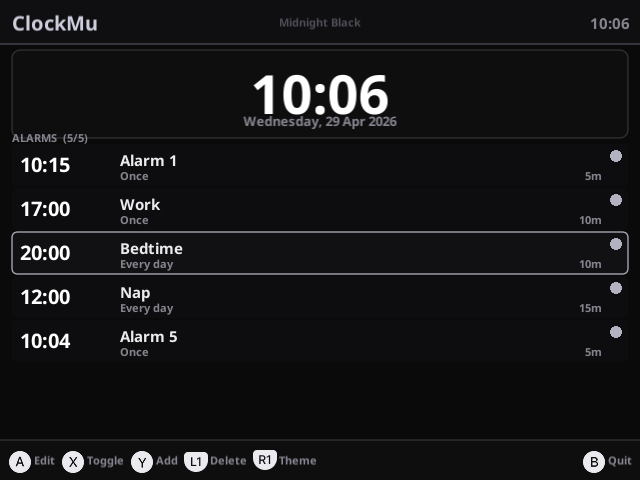
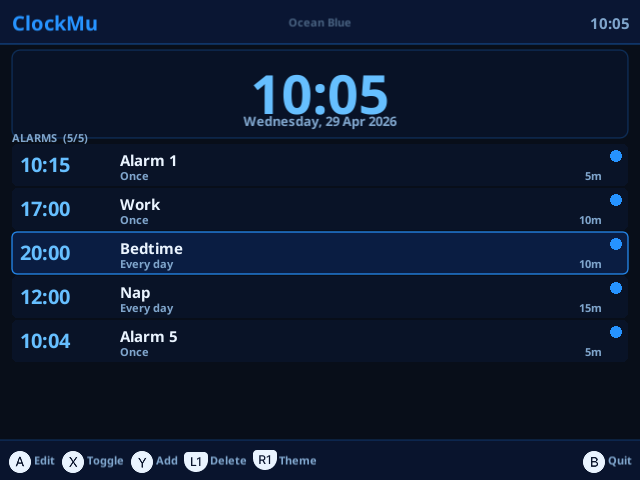
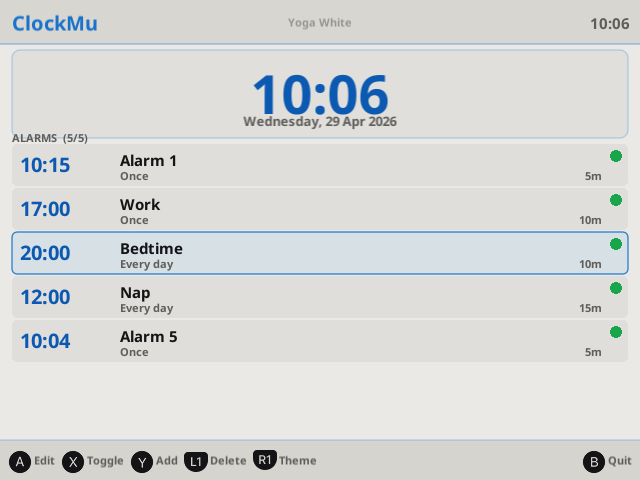
ClockMu
An alarm clock app for Mustard OS(muOS): 2601.1 Funky Jacaranda on the Anbernic RG35XX Pro.
Built with LÖVE2D, matching the muOS Mustard colour theme.
Drew inspiration from BitMuos by nvcuong1312.
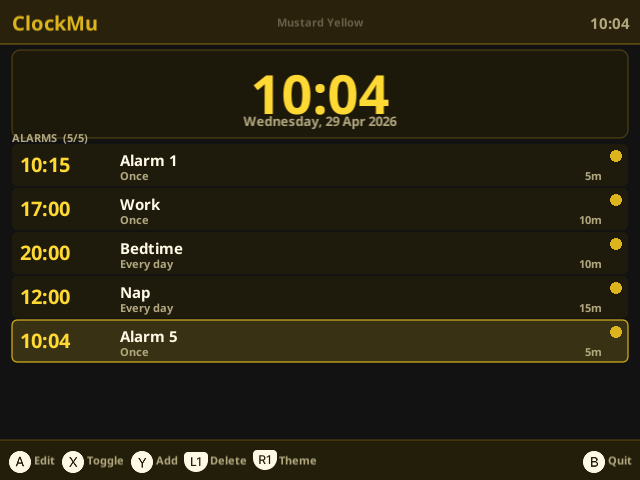
 Features
- Set and manage multiple alarms (max configurable)
- Repeat options: daily, weekly (specific days), or once
- Snooze with custom durations (per alarm)
- Preset time picker (every 15 minutes)
- Configurable colour themes and sound
- Data persistence across reboots
 Installation
- Download the latest release from GitHub Releases.
- Follow the installation instructions in the documentation.
 Controls
Main Screen
| Button | Action |
|---|---|
| D-pad Up/Down | Navigate alarm list |
| A | Edit selected alarm |
| X | Toggle alarm on/off |
| Y | Add new alarm |
| L1 | Delete selected alarm |
| B | Quit |
Edit Alarm
| Button | Action |
|---|---|
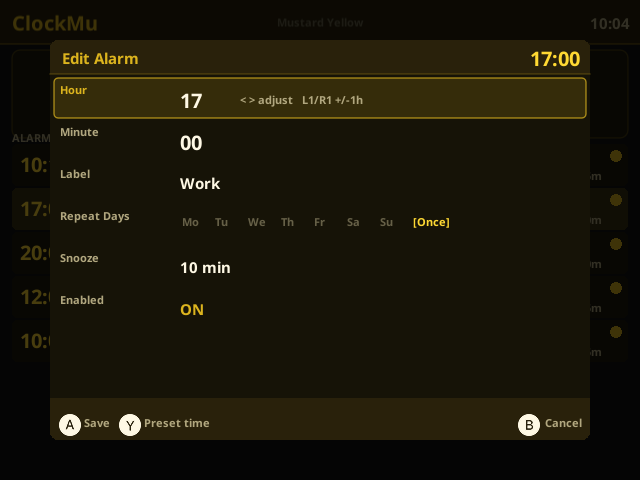
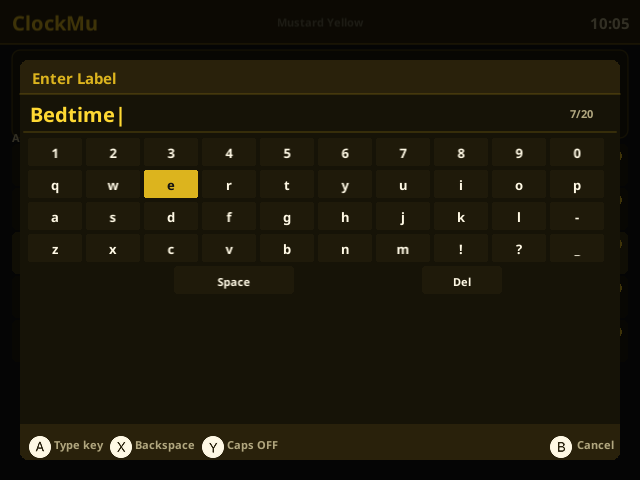
| Up/Down | Move between fields (Hour / Minute / Label / Repeat / Snooze / Enabled) |
| Left/Right | Change value (±1 for hour/min, cycle options for others) |
| L1 / R1 | Change minute by ±10 |
| A (on Repeat field) | Toggle selected day on/off |
| X (on Repeat field) | Clear all days → set to “Once” |
| Y | Open preset time picker (every 15 min) |
| A (other fields) | Save alarm |
| B | Cancel |
Preset Time Picker
| Button | Action |
|---|---|
| Up/Down | Scroll times |
| Left/Right | Jump page |
| A | Select time |
| B | Cancel |
When Alarm Rings
| Button | Action |
|---|---|
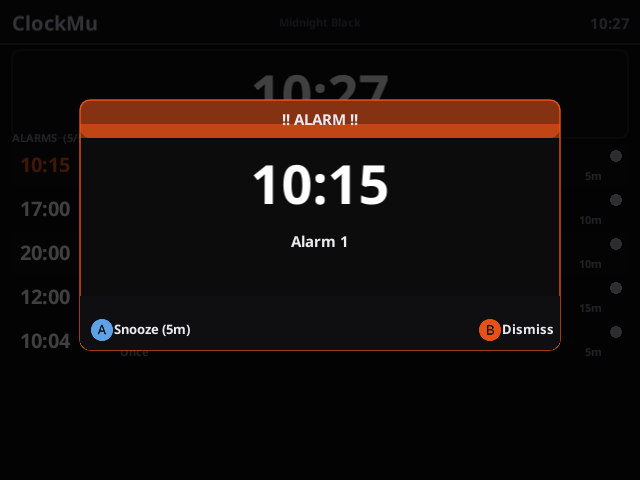
| A | Snooze (5 / 10 / 15 min — per alarm setting) |
| B | Dismiss |
 Data Persistence
Alarms are saved to data/alarms.txt automatically whenever you add, edit, delete, or dismiss an alarm. They persist across reboots.
 Notes
Notes
- Alarms only fire while ClockMu is running (muOS foreground app).
- One-shot alarms (Repeat: Once) disable themselves after firing.
- Snoozed alarms resume ringing after the chosen snooze duration.
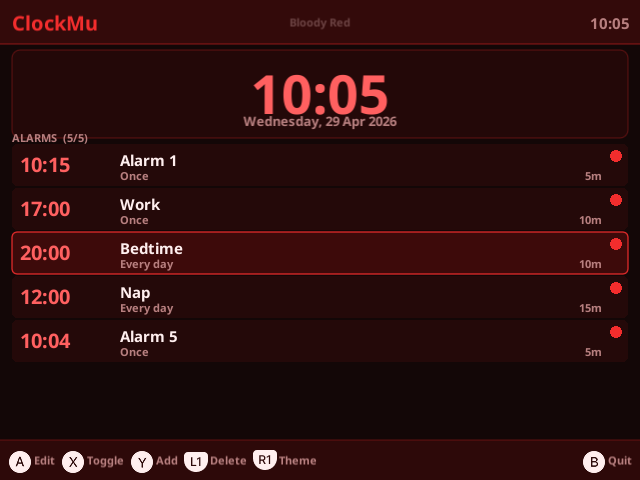
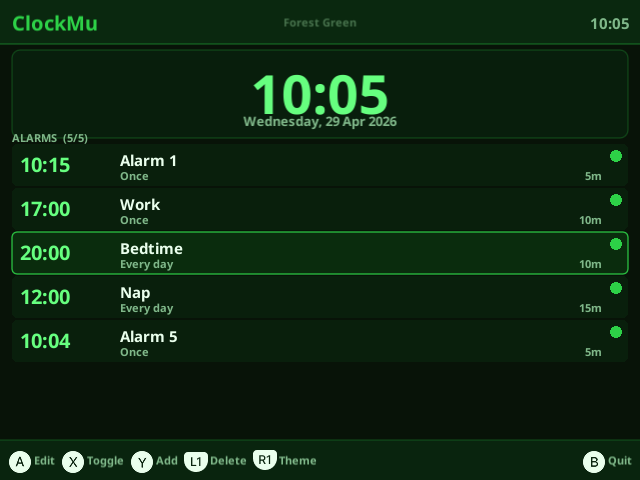
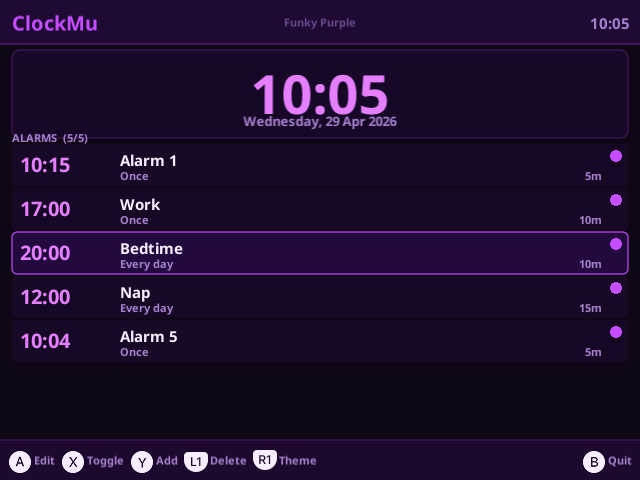
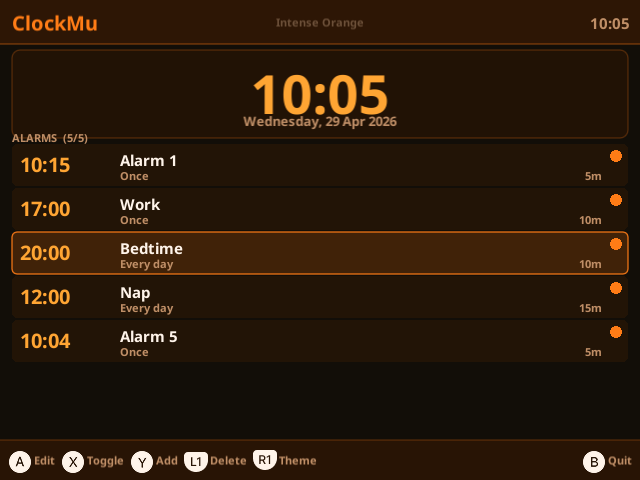
 Available Themes:
-
Bloody Red
-
Forest Green
-
Funky Purple
-
Intense Orange
-
Midnight Black
-
Ocean Blue
-
Yoga White