A pretty good idea!
I’m planning to rebuild CTupe to increase performance compared to using Love2d, with UI designed by @oiimrosabel .
However, I’ve been quite busy lately. Sigh.
A pretty good idea!
I’m planning to rebuild CTupe to increase performance compared to using Love2d, with UI designed by @oiimrosabel .
However, I’ve been quite busy lately. Sigh.
Is the install process different on golden goose? I go to MUOS folder, but there is no “task” folder and when i manually created, it doesn’t show up on device to be run.
\opt\muos\share\task\
I think this is the Task Toolkit folder in goose
Thank you! That worked!
edit: I was able to run the script to install, but the directories in golden goose seem to be slightly different from those in the CTupeloader_pixie.sh file. Videos play only audio and display like @tob_uis ‘s pictures. running the script twice fixed the issue!
Another strange issue is that I’m unable to exit the application once it’s opened and while the video is playing, none of the controls seem to work.
how do i install this in loose goose?? i cant find the task toolkit folder.
how do i install it in loose goose i cant find the task toolkit folder. please help.
CTupe is currently not compatible with Goose. 
Ah ok all good i hope you make it work for goose.
Yes, please make this work for Loose Goose!!!
work perfectly  !
!
v1.2.2
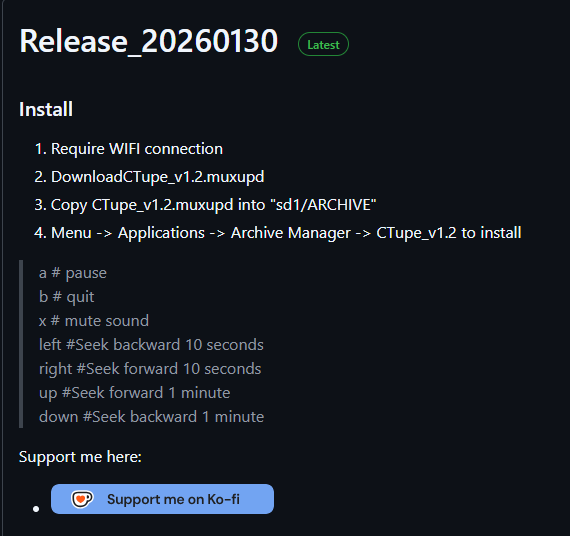
Require WIFI connection
Download CTupe.zip
Copy CTupe.zip into “sd1/muos/portmaster/autoinstall”
Open Applications/PortMaster to install
any happen if i tranfer all my data to sd2 in system storage? cuz my autoinstall put it in sd2