JarMu
A “shake the jar” random ROM picker for Mustard OS (muOS): 2601.1 Funky Jacaranda on RG35XX family devices (640×480 H700).
Built with LÖVE2D, featuring a retro arcade visual style.
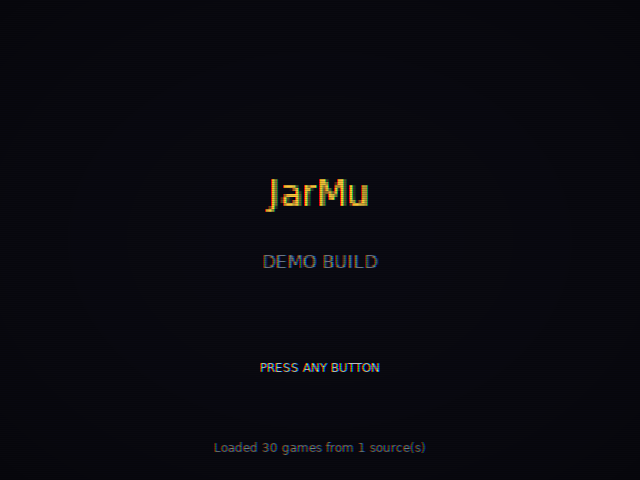
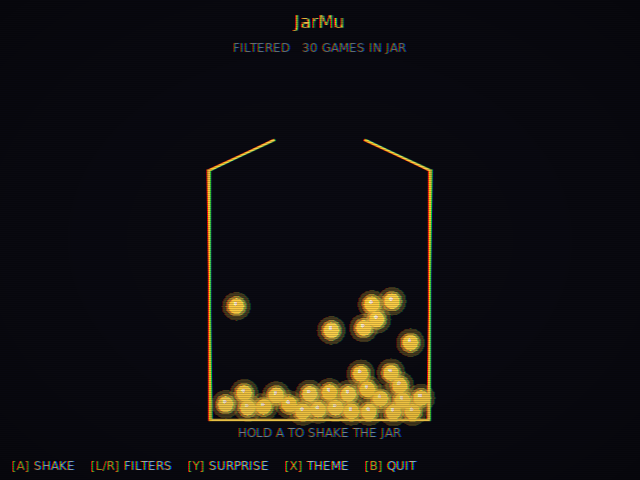
Demo build (v0.1.2) full v1 feature set minus polish. Looking for testers across the RG35XX family. See Known Issues below before reporting bugs already on the list.
 Features
- Auto‑scan
/mnt/mmc/ROMSand/mnt/sdcard/ROMS(falls back to 30 bundled sample games) - Hold‑and‑release shake mechanic with a power meter – land in the sweet spot for a “perfect shake” (backlog + favourites get a bonus)
- Filter by system, tags (any/all match), and status (backlog / playing / beaten / favourite)
- “Surprise Me” mode ignores all filters
- Weighted randomness (backlog ×3, favourite ×2, playing ×1.5, beaten ×0.5) – toggleable
- Avoids repeating the last 5 picks; “Not feeling it” button skips a game for the current session
- 8 colour themes matching ClockMu (Mustard, Orange, Red, Blue, Green, Purple, White, Black) – press X on the jar screen to cycle
- Retro arcade visuals: CRT scanlines, chromatic aberration, neon glow
- Manual tag and status overrides via an editable Lua file
 Installation
- Download
JarMu-demo-0.1.2.muxappfrom the Releases page - Copy it to
/mnt/mmc/ARCHIVE/on your device (SD card reader or SFTP) - On the device, open Applications → Archive Manager and select
JarMu-demo-0.1.2.muxapp - Once installed, launch from Applications → JarMu
 Controls
Splash Screen
| Button | Action |
|---|---|
| Any button | Enter the jar (release any held button first – hint says “RELEASE TO BEGIN”) |
Jar Screen (Main)
| Button | Action |
|---|---|
| Hold A | Build shake power |
| Release A | Tip the jar (sweet spot = perfect shake) |
| L / R | Open Filters screen |
| Y | Toggle Surprise Me mode |
| X | Cycle theme colour |
| B | Quit JarMu (return to muOS) |
| Select | Toggle SFX on/off |
Filters Screen
| Button | Action |
|---|---|
| D‑pad up/down | Move within column |
| L / R | Switch column (Systems / Tags / Status) |
| A | Toggle item |
| Y | Include all items in current column |
| B | Back to jar |
Result Screen (after a pick)
| Button | Action |
|---|---|
| A | Launch ROM (not yet wired – shows placeholder) |
| B | Reshake (return to jar) |
| Y | “Not feeling it” – skip this game for the session |
| X | Cycle status (backlog → playing → beaten → favourite) |
 Manual Overrides
Tags and status changes made in‑app are saved automatically. You can also edit a Lua file directly for bulk overrides.
- Run JarMu once on the device – this creates a save file at:
/mnt/mmc/MUOS/application/JarMu/.local/share/love/JarMu/cache.lua - Open
cache.luato see the exactrom_pathstrings the scanner produced. - Create a sibling file
overrides.lua(usesource/game/overrides.example.luaas a template). - Map each ROM path to the tags and status you want.
- Restart JarMu – overrides are applied on top of the cache.
You can also add manual entries for games not on disk by setting virtual = true in the override (useful for physical carts or games you plan to add later).
 Known Issues
- Filter list scrolling – consoles/handhelds longer than the visible column don’t scroll; cursor moves but items past the bottom edge are cut off.
- Theme change doesn’t update jar tokens immediately – existing tokens keep the old colour until you visit Filters and come back.
- Launch button is a placeholder – A on the result screen shows a “not yet wired” overlay.
- Gamepad button mapping unverified on hardware – tested on x86_64 LÖVE only.
 Coming Soon
- Fix scrolling in long filter lists
- Live theme update on the jar without scene change
- Real ROM launching via muOS launcher hand‑off
- History screen showing last N picks
- In‑app on‑screen keyboard for tagging
- Recorded SFX samples (currently procedurally synthesised)
- System icon images instead of text labels
- Box art display on the result card
- Multi‑jar profiles (e.g. “kids”, “solo”, “co‑op”)
 Reporting Bugs
Open an issue at github.com/mdhaziqomar/jarmu/issues using the bug report template. Include:
- Your device (e.g. RG35XX H, RG35XX SP)
- muOS version (Settings → Information)
- What you were doing when the bug happened
- The contents of
/mnt/mmc/MUOS/application/JarMu/jarmu.logif it crashed
Please check Known Issues above before opening a new ticket.
 Credits
LÖVE2D 11.4 aarch64 binary by Cebion/love2d_aarch64
Built for the muOS community
 Licence
GPL‑3.0‑or‑later. See LICENSE.
This program is free software: you can redistribute it and/or modify it under the terms of the GNU General Public License as published by the Free Software Foundation.
