Watch and download YouTube videos directly on your muOS handheld!
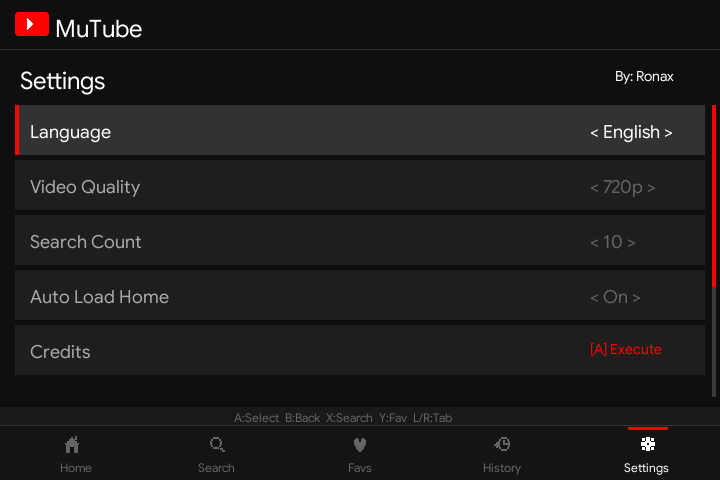
After the beta testing phase, MuTube is now ready with a major update.
MuTube brings a familiar mobile-style YouTube experience to your muOS device with easy navigation, smooth playback, and offline video support.
Built on the PortMaster base for better compatibility and future muOS updates.
Download: 63.55 MB file on MEGA
 Features
 Familiar YouTube Interface
- Mobile-style YouTube UI designed for handheld devices.
- Easy navigation using your device controls.
- Browse, search, and play videos with a simple console-friendly interface.
- Optimized for small screens.
 Device Support
- Tested on H700-based devices running muOS.
- Should work on other devices as well, but needs community testing.
- Not officially tested yet:
- R36S
- TrimUI devices
If you test MuTube on unsupported devices, please share your results.
 Improved Video Playback
- Default playback resolution: 720p
- Supports:
- H.264 priority playback
- Split stream (video + audio) handling
- Better compatibility when pre-muxed MP4 streams are unavailable
- Automatic resolution detection for different screen sizes.
- Press X during playback to view current video resolution and format.
- Improved player handling to reduce crashes and race conditions.
 Video Download Support
MuTube now supports downloading videos for offline watching.
Available download qualities:
- 720p
- 480p
- 360p
Download options:
- Long press A button on a video to open the download menu.
- Select your preferred resolution.
- Choose between:
- Download video
- Play video using default quality
 Offline Download Library
- Added a dedicated Downloads section.
- Downloaded videos are stored separately.
- When starting MuTube without internet connection, it automatically opens the Download section.
 Button Configuration
Added control customization:
A Button behaviour on Home Page
- Play video
- Download video
Additional shortcut:
- Press START for direct download using the default quality.
 Other Improvements
- Updated yt-dlp.
- Improved stability.
- Proper PortMaster application structure.
- Correct app icon and glyph support.
- Better handling of controller input mapping.
Installation
- Download the “MuTube-1.0.9.muxapp” file.
- Copy it to your device:
/Archive
- Open Archive Manager on muOS.
- Install the application.
- Launch MuTube from the Applications section.
Controls
A
- Select / Play (configurable)
START
- Quick download
Long Press A
- Download menu
X during playback
- Show video information
(Controls may vary depending on device mapping.)
Bug Reports
This is an early release. If you find problems, please share:
/mnt/mmc/MUOS/application/MuTube/Data/log.txt
Also mention:
- Device model
- muOS version
- Video resolution tested
Known Testing Status
 Tested:
- H700 devices running muOS
 Needs testing:
- R36S
- TrimUI devices
- Other ARM handheld devices
It may work, but feedback is appreciated.
Support Development 
If you enjoy MuTube and want to support future updates:
 Ko-fi:
Thank you to everyone who tested the beta and provided feedback!
Enjoy watching YouTube on your handheld!