Hello! I’m an experienced theme programmer with AttractMode and looking forward to creating themes for MuOS.
Is it possible to create a “wheel” on the right hand side using grids? I would like 9 slots total such that 4 are on top, 4 below, and one in the middle. I would like to arrange them in an arch. If that’s not possible then I guess at least it can be set up just vertically without the arch? (More of a list than a wheel in this case). And can the center slot be larger? (The selected slot).
I’m envisioning using this for game/rom content lists such that one can navigate the games with game name logo on the slots. (I assume by placing game logos in place of box art as a trickery).
you can create a vertical list using grid mode set to a column of 1 but the navigation will still perform like a regular list in muOS starting with the first item highlighted and then when you get to the 5th item the list will scroll keeping the focused item in the middle. It won’t do any of the image manipulation like you would normally get with a wheel style and it won’t do the carousel style navigation.
Thank you. This may meet the need. I’m assuming I can place game logo images on the list? (What we call “wheel” art generally). If so, what would happen when a game logo image is not found? Will the entire interface revert to a regular non grid list, as I think I have seen happen before while testing around?
grid images has support for a default.png and a default_focused.png. Typically people do some sort of question mark graphic. If those don’t exist then you would just see a blank spot for that item.
I’ve been lurking the theme database and can’t find any grid based themes that would be a decent starting point template based on what I’m after. I can’t find a theme that uses grid in the game list itself. Do you know of one?
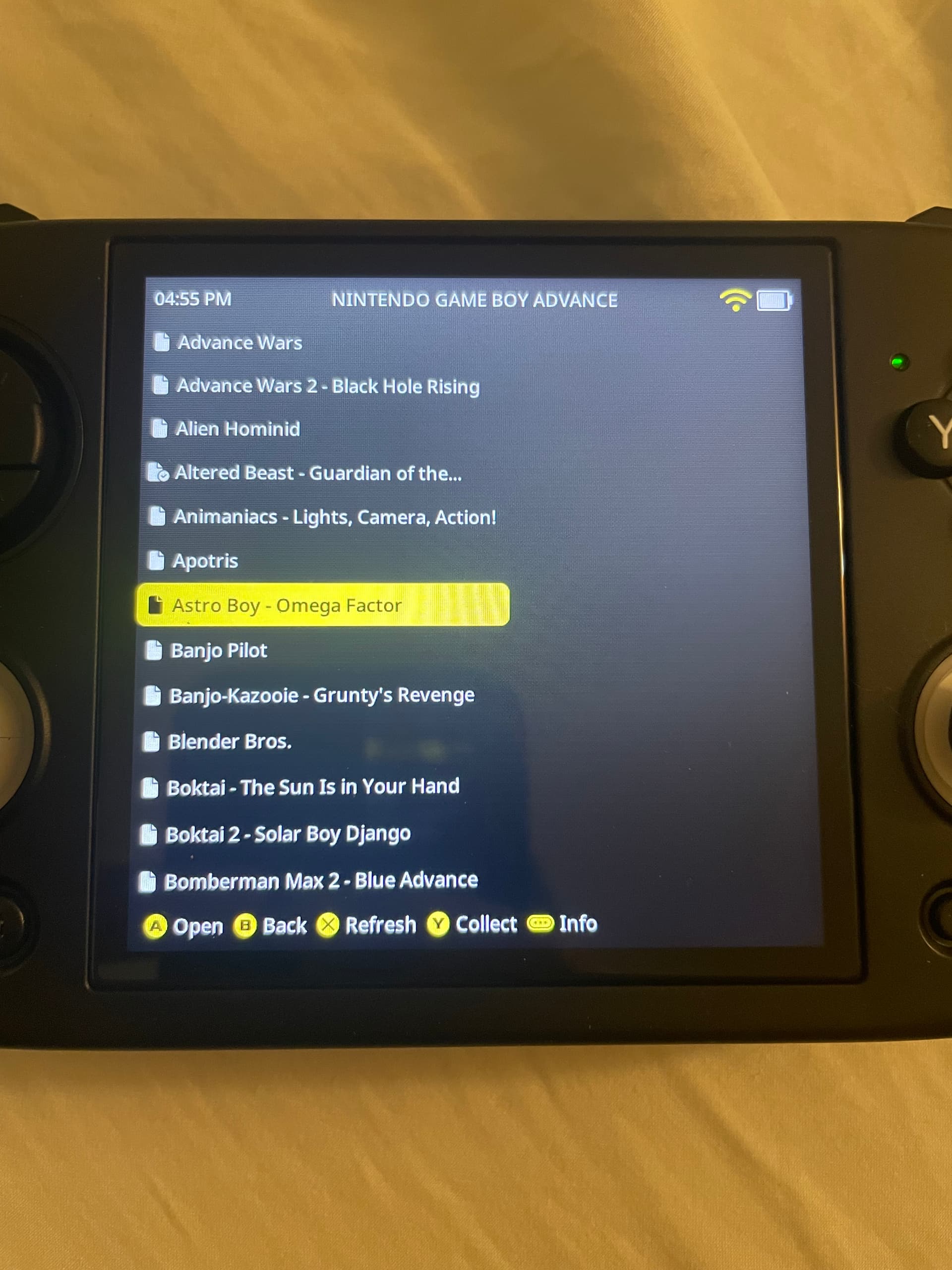
I am looking at those grid based themes and the game lists look like regular lists in my cubexx. I have gone to the toggles and made sure grid is enabled in all views. Can someone post a screenshot of what a game grid list would look like?
I’m stumped. I deleted the ‘images’ sub folder and my GBA Roms folder now has only zip files. I still see a regular list of games. Is this was a grid list looks like for MuOS Pixie Grid theme?
Note: the main menu and content menu all show grids just fine for me