Just flashed and installed Pixie on SD1, configs and everything from AW Banana was migrated to SD2. I’ve been using GLUI on AW Banana because Ozone wasn’t scaling text high enough.
Now on Pixie, GLUI is gone from Retroarch, it defaulted to Ozone, and the text is much bigger, so okay then - good, i thought. But no, because instead of using the entire width of the screen, the UI is now cramped in the middle with huge margins on the left and right, the side bar menu also takes up half the screen, and nothing seems to affect this.
New here so give me a minute to figure out how to attach a picture.
upd.: uploaded to an image hosting, hope it’s alright:
I just saw this post. I’m using the Ozone theme in RetroArch, and it never really occurred to me that this might be an issue. I always assumed that’s just how the theme is designed. I haven’t seen any option that allows it to use the full width of the screen so I guess that’s how the theme really works.
This is still a very annoying issue in the newest Canada Goose release.
Since MuOS is now defaulting to locking the Retroarch configs it will be even harder for people to get around this issue. And frankly the Ozone theme is very nice and looks good on these devices aside from this issue.
Would it be possible for somebody to look into editing the menu_display_ozone.c and/or ozone_layout.c of the retroarch source to reduce the amount of padding on each side before compiling for the next MuOS update/release?
Also I wanted to clarify that I wasn’t suggesting making a change just for this one device. I made my comment in this thread in order to avoid duplicating issues.
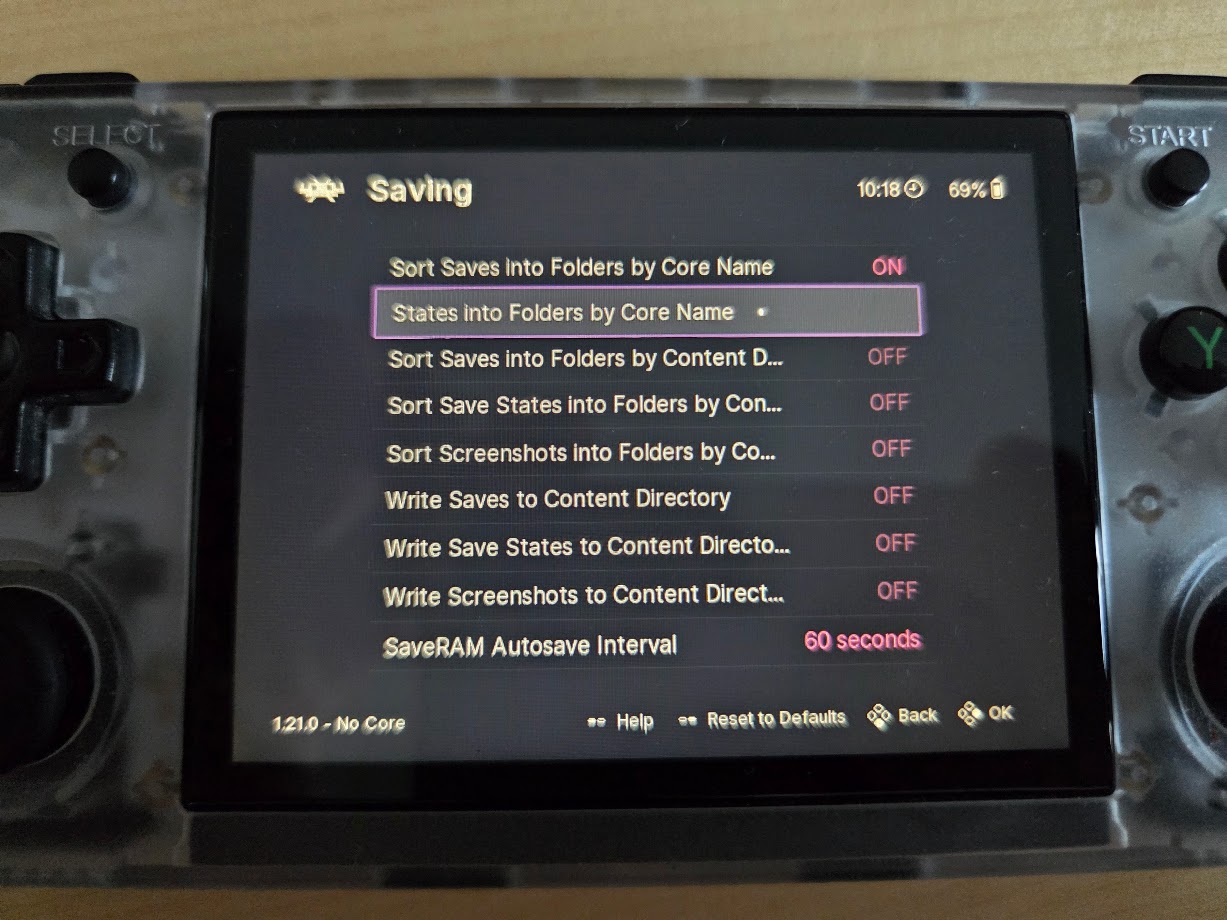
I don’t have a Cube XX device, but even on my 4:3 device the provided Retroarch settings result in some line items glitching out and not even displaying the value of the setting (see image below). Many others, which don’t glitch out, show a super squished and partial state which scrolls around, and you need to lower the UI scale to see what the value is and to change it - all the while the large margins leaving lots of empty space on each side.
That option sounds like just what is needed, but it doesn’t appear to be available in the Retroarch Build used in MuOS - at least in the Canada Goose version. I also searched in the retroarch.cfg file and these were the only options mentioning ‘padding’:
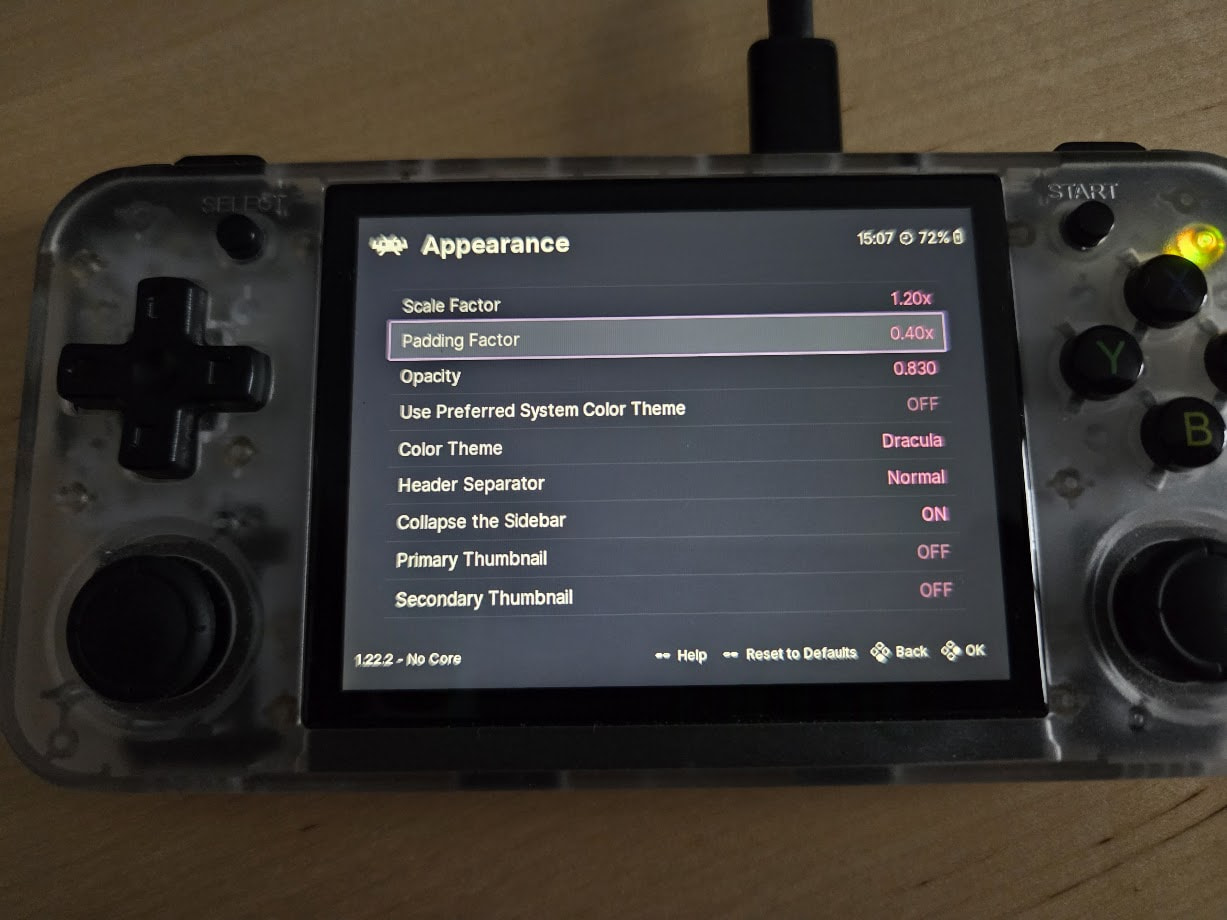
AHA! Indeed, this setting has now been added to MuOS, I assume with version 2508.4, but perhaps .2 or .3! Loose Goose now shows the ‘Padding Factor’ option right under ‘Scale Factor’, so this issue can be marked as solved, @nexus6 !!!
For a 4:3 screen, a setting of 0.3 or 0.4 seems quite nice, no wasted space on the sides but with some appealing padding nonetheless.