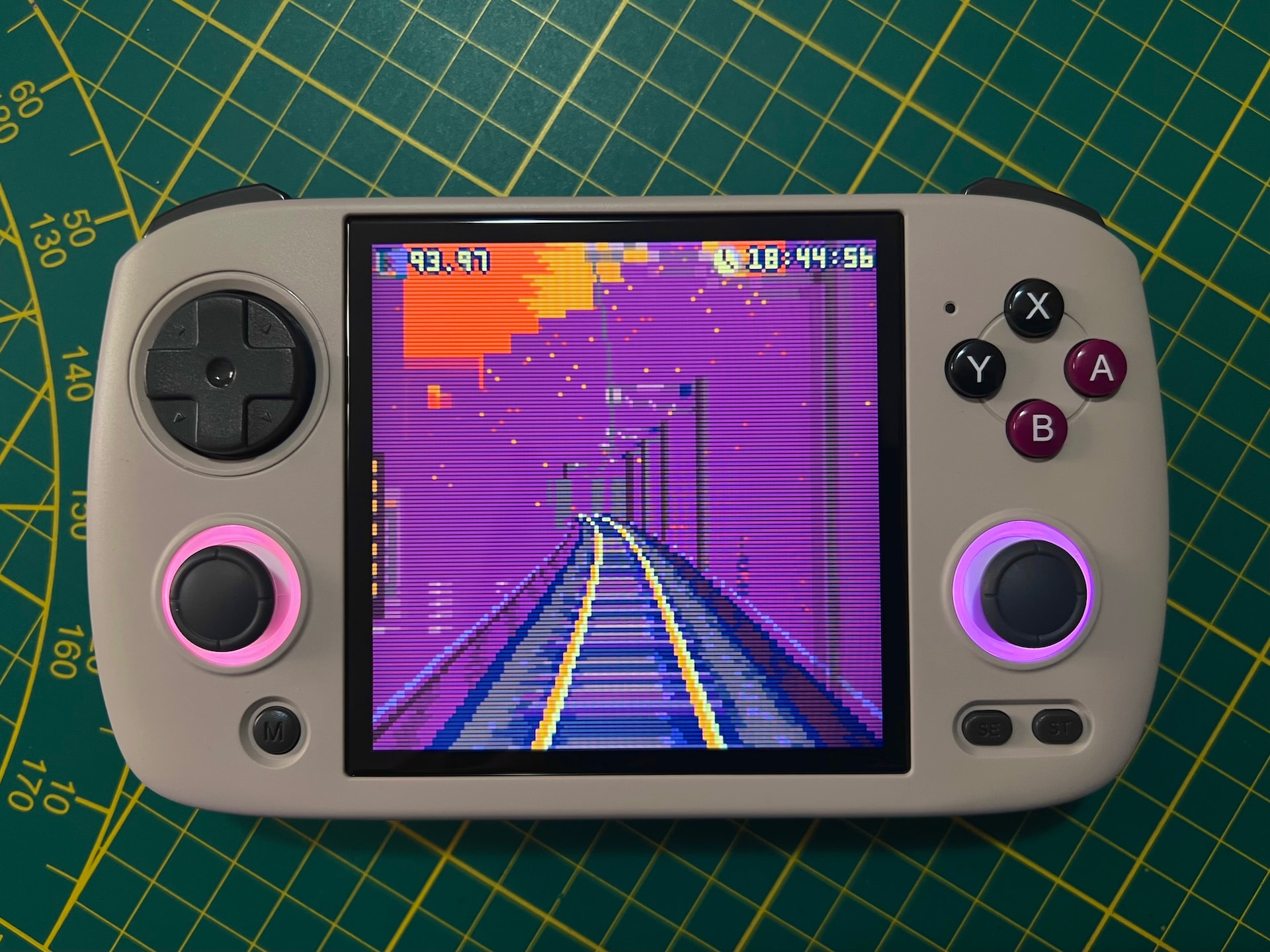
RGB Screen React is an app for devices with RGB sticks that matches the LED colors to what’s on the screen in realtime.
> Please note this app has been built for MuOS Jacaranda and might not work correctly or at all on previous or future versions.
> A brand new version of this app for MuOS Andromeda is ready and will be launched after Andromeda releases officially.
Features
- Adapts to any aspect ratio and avoids screen borders
- Prioritizes and extracts saturated colors
- Integrates with all MuOS energy saving features
- Extremely CPU efficient background process
- Ready to use but customizable for advanced users
Check the official GitHub page for the full technical details and for a demo video.
Installation
Download the latest version from Releases and place it into the Archive folder of MuOS. Go to Archive Manager and select the RGB Screen React package to install it. To make sure the background process works correctly, you have to enable User init scripts in Configuration > General Settings > Advanced Settings.
You will find RGB Screen React in the Application menu. Launch the app to enable or disable the screen react mode and to change LED brightness.
Disclaimer and credits
RGB Screen React is feature complete and I don’t have plans to update it except for critical bug fixes or support for future MuOS versions.
This app has been developed using AI because my coding knowledge doesn’t cover Linux, shell and LÖVE. I still supervised the code to make sure the logic would work correctly and have a good quality standard.
The frontend app is a modified version of the integrated MuOS RGB Controller by JanTrueno.
Please check the GitHub page for the full disclaimer and credits. Thanks!
8 Likes
I’ve just updated RGB Screen React to v1.0.1 to fix screensaver, screen dim and low battery check compatibility with muOS 2601.1 and 2601.2. Get it from the GitHub releases!
2 Likes
Hey, I’m testing the app and it is really fun!
I just found an issue with the installer. It seems like it is missing a parent /RGB Screen React folder to contain all the app’s files and launcher.
As it is it just installs the content of your muxapp loose in the applications folder. Manually creating the folder and moving that lose content into it made the app work and appear in the applications menu.
1 Like
Sorry, just noticed this reply! Thanks for the report, I will check that as soon as I get a chance!
EDIT: nevermind, just updated the latest release on GitHub, it should be all good now!
1 Like
Works really great! It’s such a pleasure to see the RGB color sync effect.
I’ve once encountered a small problem but haven’t been able to reproduce it: the RGB lights were disabled after timeout sleep suspend and cannot be enabled by relaunching RGB Screen React or the original RGB Controller, until the device being rebooted.
And it’s a pity that the LED brightness hotkeys (MENU + Right Stick Up/Down) are also disabled. It’ll be very helpful if they works fine!
Thank you for your work again! This app really made me willing to use my joystick RGBs instead of just shutting them down haha. 
1 Like
Thanks for the feedback, glad you appreciate it! Sorry for the super late reply, I rarely check in here and for some reason I don’t receive mail notifications.
I should be able to bind the RGB brightness hotkey, actually I wasn’t even aware of that being available normally! Shame on me haha.
About the issue after the sleep suspend, I can try looking into it but maybe it was a one-time quirk of sorts.
1 Like
It’s disabled globally, otherwise it would cost me so much more!
1 Like
On the GitHub page, this app mentions support for TrimUI devices. However, it says it supports devices that have sticks. The TrimUI Brick has two RGB lights on the front, lights on each trigger, and an RGB lightbar that has multiple LEDs so it is capable of animations. Is there any chance this device is supported?
I think out of the box the support should work for the two RGB LEDs on the front, but other than that, not having a TrimUI device, I don’t have much clue on how to work with those extra lights, sorry.
Anyways, development update: since the new MuOS version will be out soon and has RGB support baked in the settings menu directly, I will make a new package that will extend that with the screen react function, instead of being a separate app. As usual I work on this in the little spare time I have left so please allow me for some days. 
1 Like