I have recently installed Goose on my RG40XXV. I am trying to get a two card setup to work, but I am getting nowhere despite putting hours into this issue.
I am using a SanDisk Ultra 32GB memory card, which I have formatted according to SanDisk’s instructions. On it I have a ROMS folder with less than 1G of files.
The option to migrate data never shows up in the Task Toolkit, and when I select “Mount Secondary Storage” under “Storage Tasks”, I always get the error message in the title: “Secondary storage device not present: /dev/mmcblk1p12”. Searching for this message yields no relevant results for me.
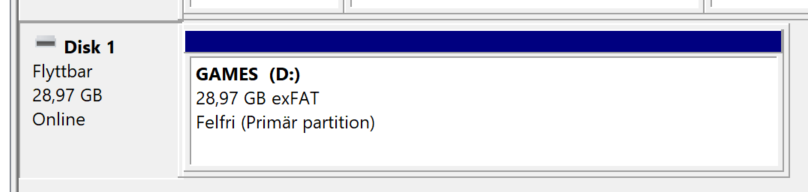
Assuming you are using windows, it would be worth checking the partitions on the MicroSD. If you plug it into a machine and bring up Partition manager and grab a screenshot would be the best start to assisting.
The mSD must have only one partition, and it is very likely it has a smaller system partition.
You are right, I formatted the card on Windows. However, I tried multiple variants from my own Linux laptop first, and finally caved in and borrowed a Windows laptop, thinking it would fix my problem.
Anyway, here is a screenshot from that laptop (sorry for the Swedish labels):
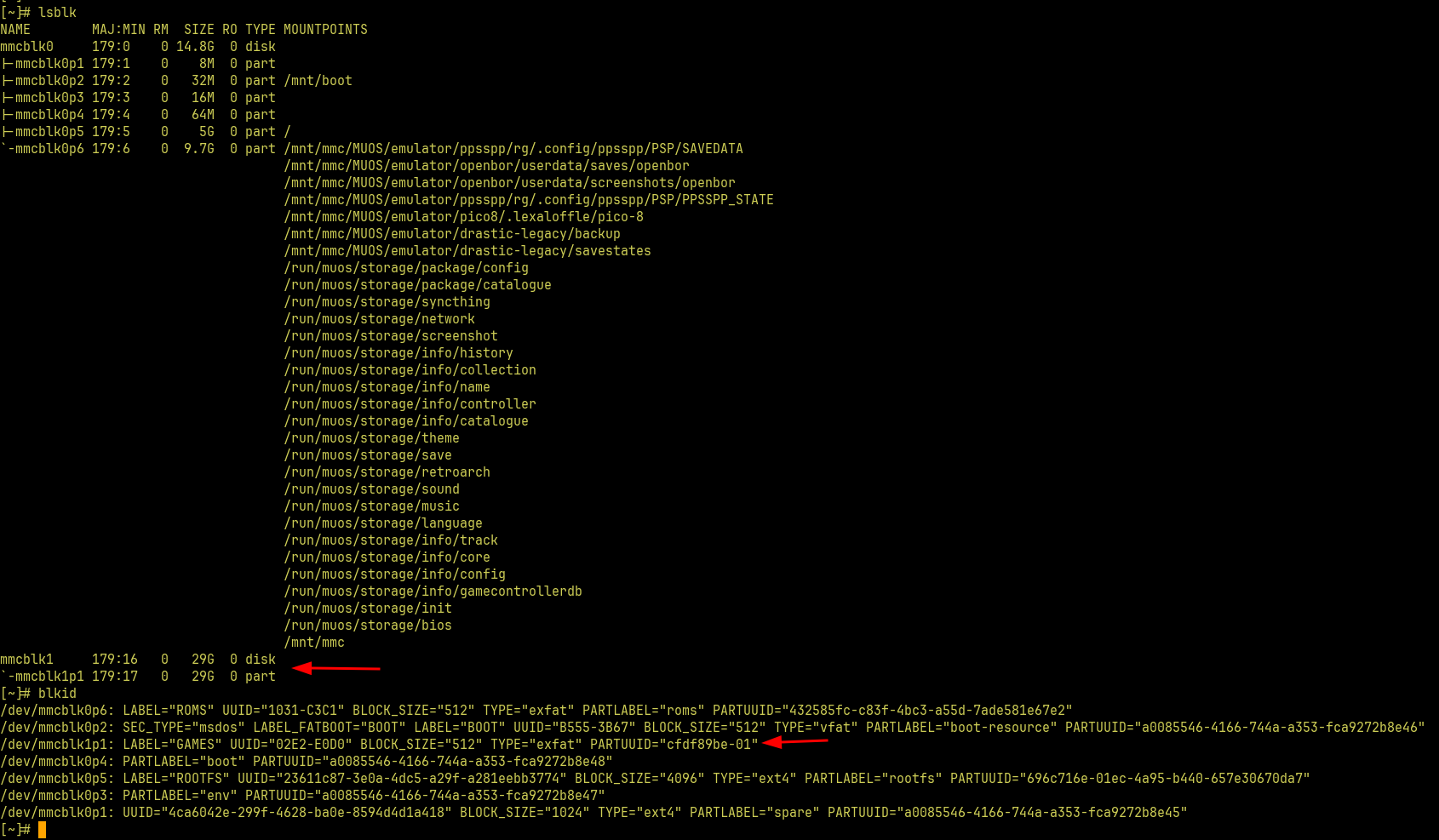
I haven’t used these commands prior to starting to get this set up, but it seems to me that the error message mentioning /dev/mmcblk1p12 would mean I need to have a twelvth partition on my sd card, but that seems very strange…
Interesting. If you’re booting the device with the second mSD already inserted (Which is highly recommended) this should be auto-mounted. There is an option to get more granular control but I’ll need to get back to you on its location. Unless @xonglebongle is floating around to answer.
Sounds like, for whatever unknown reason, you may have accidentally changed the partition mount for Secondary Storage to 12 in the Advanced Settings screen.