To assign a core to a directory navigate to that directory in Content Explorer

With any content selected press select button to bring up the Content Option menu
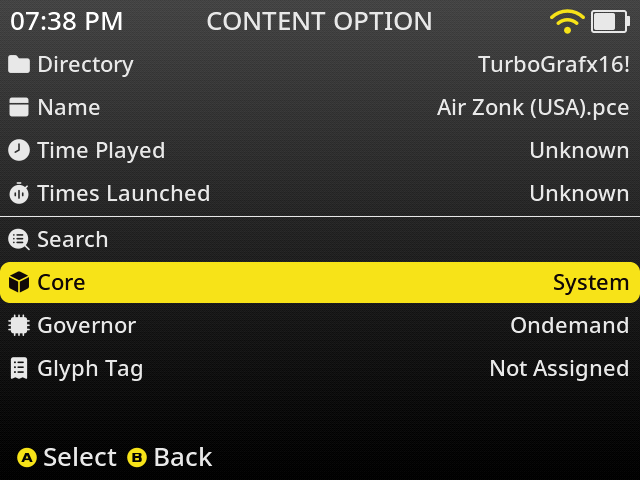
Select Core and press A to continue
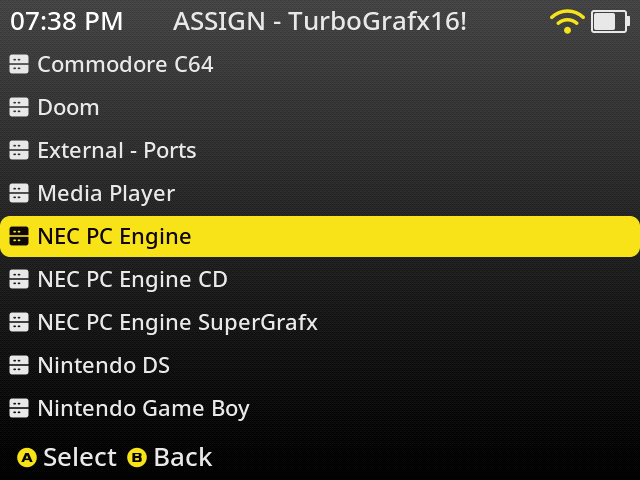
Select the system and press A to continue
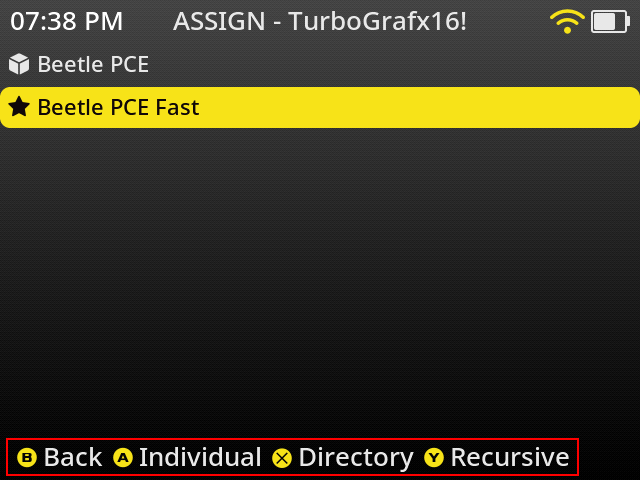
The star on this screen represents the default recommended core. Select the core you want to assign to the directory and press X to assign the core to all content in the current directory. See footer for other available options.
You will now be brought back to the content option screen and will see the Core has been updated.
