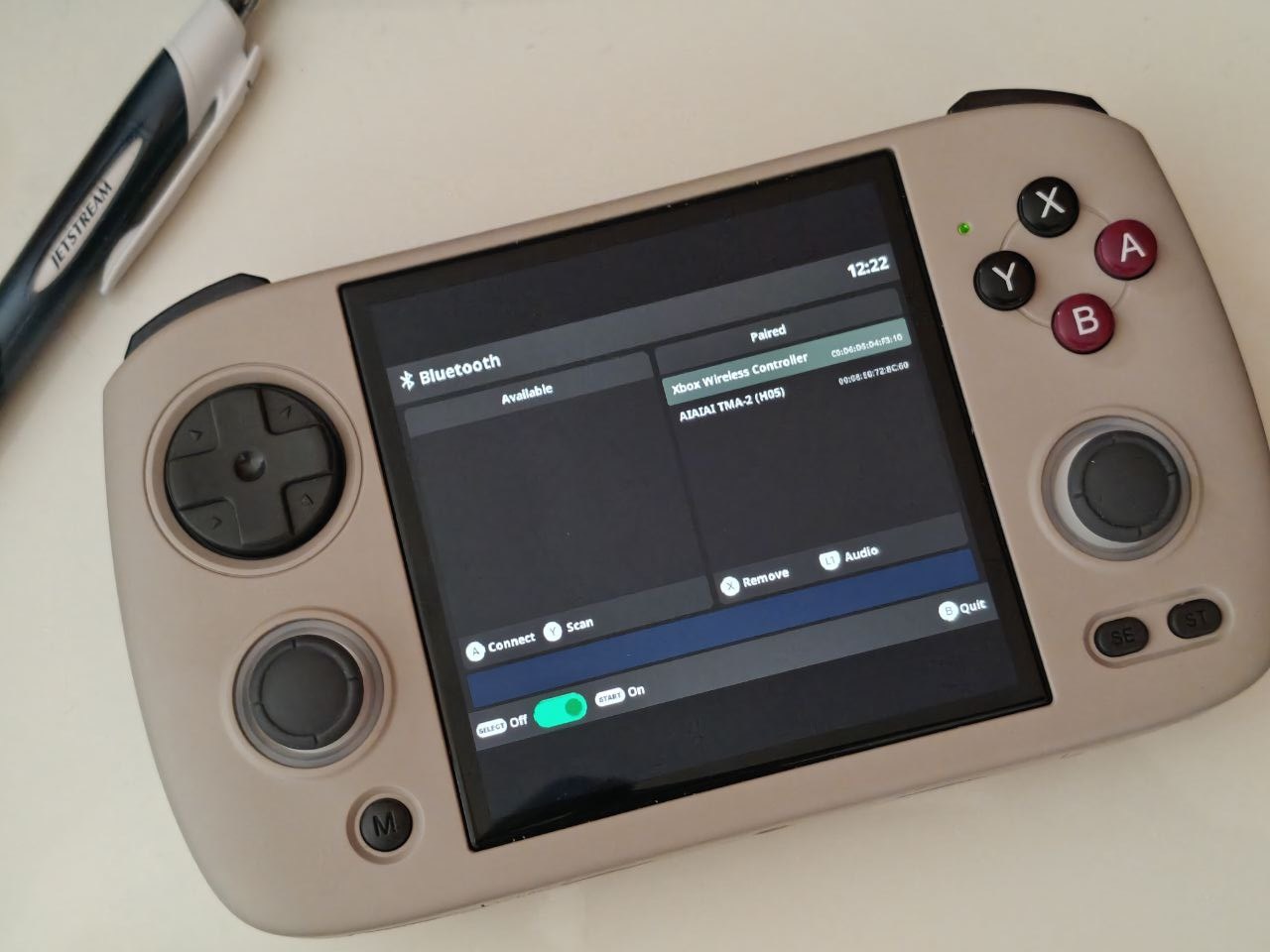
GOOSE 2508.0
Bluetooth_20250219 (Bluetooth-Install-Full-PIXIE-GOOSE.muxupd) Which ARCHIVE didn’t see so I changed the file extension to .muxzip and it installed fine (is that where I goofed?)
Thank you for your help!
GOOSE 2508.0
Bluetooth_20250219 (Bluetooth-Install-Full-PIXIE-GOOSE.muxupd) Which ARCHIVE didn’t see so I changed the file extension to .muxzip and it installed fine (is that where I goofed?)
Thank you for your help!
It needs to be kept muxupd. Because there will be scripts that need to be adjusted into the system. I’m not sure why it’s not showing up in your archive folder.
Now it’s working!.. Not entirely sure why this time it showed up for install but now it’s available and i’m up and running. Thanks!
Haha. How lucky. Glad it worked!!
An excellent app and essential for muOS users who want to use their device from the living room couch while playing on the TV. We can also play using headphones to avoid disturbing others and enjoy playing with better sound.
I’d like to take this opportunity to suggest an improvement for consideration in case it could be incorporated into future updates:
I don’t have good eyesight, and the app displays on the RG CubeXX in a 4:3 ratio, even though the device has a 1:1 screen. It doesn’t really need to be adapted for proper use, but it does need to be able to enlarge the font size for those of us who have vision problems with small fonts.
Thans in advance.
Worked perfectly with my 8bitdo Pro 2. Now how do we get it to keep the screen on instead of turning off after no direct input on the on-device buttons?
I see now under Config - power options there’s TWO idle settings. I had Idle SLEEP disabled but not Idle DISPLAY. Now they are both off and I’m in business as a TV retro console now!
Haha that’s right.
We need to do that to avoid the screen from turning off.
So I just reflashed to upgrade to Goose. (used to be on banana and the app worked great) I followed the install directions and each time the console says its loading the application. It then just stops and it never loads. Im using the goose download and following the steps. Is there something else I am meant to do? The app installs. has the option to run the program and has the bluetooth logo. Wifi is connected.
I have tried multiple reinstalls and different wifi connections. none seem to resolve it.
Huh. I installed it and it works fine except the icon is missing on canada goose. Maybe the icon path has changed. Make sure you have the correct version installed for pixiel_goose which has the file type .muxupd
you can now include the icons directly in your app folder in Canada Goose. This would be the recommended way. You can even include icons for different resolutions
/{Application Folder}/glyph/640x480/{Icon name}.png
/{Application Folder}/glyph/{Icon name}.png
for 640x480, 720x480x 720x576, and 720x720 we usually do icons that are 26x26 pixels
for 1024x768 47x47 pixels
if the installed theme does not have an icon already for your app it will fall back to the ones supplied inside your app
I 3x checked I have the correct version installed. I don’t want to deal with rewiping the OS but I may give it a shot and then reinstall the App. Still though, thank you for creating the App <3 I loved it when it was working on my last OS version.
Thanks for your support. I have updated the app icon
thank but here is the best app icon for me :
Hi everyone,
on canada goose after installation I can open BT app, but cannot start it
it says failed to start
upd.:ok, found on github page:
and it works, but what should I do if there is no wi-fi available?
on original goose BT worked regardless of wi-fi
any advises on how to solve it?
Hiya, I’m trying to use an 8bitdo SN30 Pro+. It pairs and connects fine in XBox or Switch mode, but when I go into RetroArch, nothing shows up in Device Index, and if I hit Set All Controls, button presses don’t do anything. Am I missing a step?
I had good luck pairing in Android mode. I don’t think muOS has Xinput drivers but it does recognize Dinput devices.
Finally! I could’ve sworn I’d tried that, but I guess not. Thanks!
Actually it is not necessary to connect to WIFI, just need the WIFI chip to be turned on and you never turn it off.
The instruction I give is just to make sure that the user has turned on the WIFI chip
I have Brick in hand and will try to get BT working…