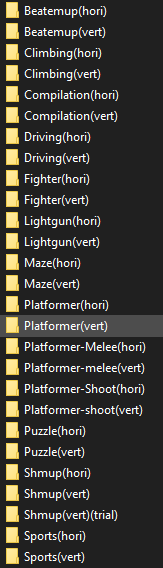
the theme already comes with images for some of the different arcade variants like cps1 cps2 cps3 but in or for those images to show your folders would have to be named cps1 cps2 and cps3 or you would need to rename those images in the theme. What all do you have for arcade folders?
Just noticed you said genre, so never mind but still good info to have
Replacing muxplore.ini with muxapp.inididn’t work, but I added a text file named .nogrid to my /fbneo/ directory and that did the job! Thanks for the suggestion.
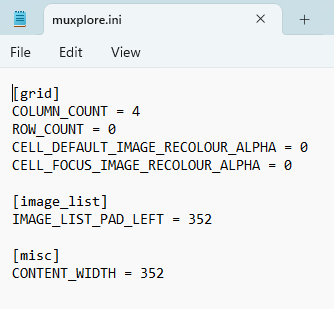
replacing the contents of muxplore.ini with the contents from muxapp.ini should have made the text appear, it worked for me. You have to be sure you edit the muxplore.ini for your device for example for the 34xx-sp you would want to edit the one in the 720x480/scheme folder
I wanted to ask, is it possible to make “Content Box Art Alignment: Center“ work like it does in the default theme? In the default theme it centers the artwork in the right half of the screen, while in Fluent it centers it relative to the screen.
the way we achieve that in the default theme is by setting IMAGE_LIST_PAD_LEFT to the same value as CONTENT_WIDTH in muxplore.ini. Example of the 640x480 muxplore.ini settings.
you could also accomplish this yourself by setting those two settings in `/muos/theme/override/muxplore.ini’ and it would apply to all themes.
Thank you! Although in this particular case I had to set IMAGE_LIST_PAD_LEFT to 360 to compensate for the padding on the left of the text labels; figured I’d mention it for other people who’d want to do this tweak.
You could do it by adding muxactivity.ini, but latest stable release doesn’t differentiate between the main list view and the details pages, so I left it with default settings.
This was changed in current test release, so I’ll add full support for activity tracker when new update is released.
I’ve been updating the theme along with Andromeda testing releases for a while now and a lot has changed (in a good way!). I’ll drop a proper change log when I finally release the new version.
I’ve also started thinking about dropping support for the Purple variant, as I want to keep the color schemes as neutral (and boring, I know) as possible. If there’s enough uproar, I might keep it.
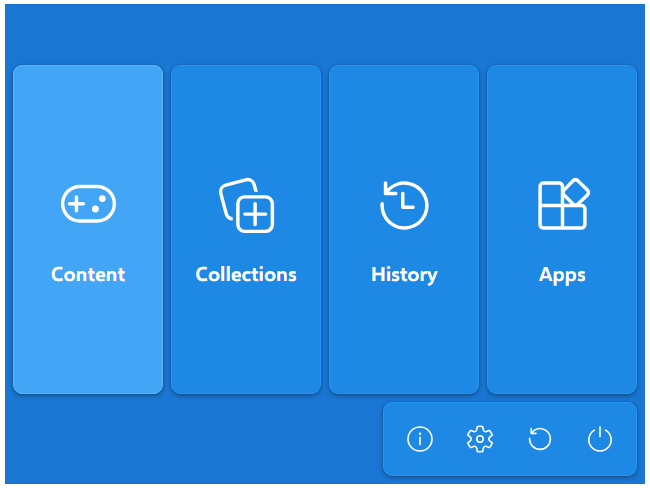
But, for those who want their device to be a little more colorful, I’ll be releasing a Blue variant. Elegant, but colorful. Have a look:
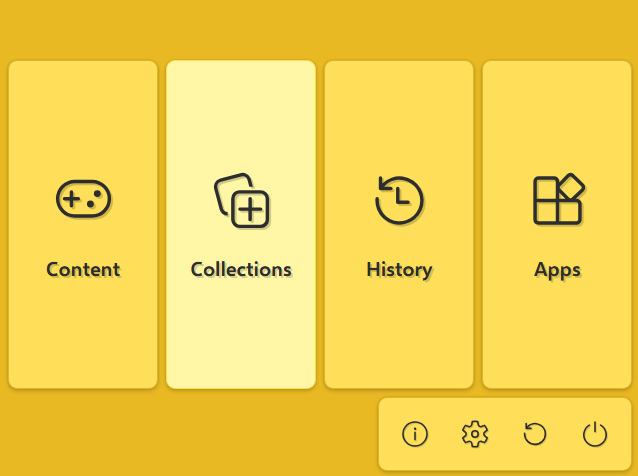
Due to latest changes in the upcoming Andromeda, I was able to really cut down on the maintenance time required for this theme. To celebrate that, not only Purple will remain, I’ll also add the previously mentioned Blue and also… a mustard one!

 Thank you!