Because TheGamesDB doesn’t have a dedicated Ports category, Skyscraper maps the Ports platform to the PC database on TheGamesDB.
Here is what’s happening:
On TheGamesDB, Apotris is only registered under Game Boy Advance, and AM2R is only under Android. Since Skyscraper queries the PC section for Ports, TheGamesDB doesn’t find a PC entry for either of them.
When searching for Apotris, TheGamesDB returned the closest PC title it had (a game called “AfterHours”), which only had a 30% fuzzy match score. Because Scrappy requires a 65% match cutoff to prevent wrong artwork, it correctly skipped it.
Scrappy v8 was prepared for the upcoming muOS Andromeda update, which has transitioned over to vector SVG-based glyphs across the OS.
Because of that change, the old PNG glyphs were cleaned up from the app package. Once muOS Andromeda officially releases, the new SVG glyphs will display natively out of the box!
In the meantime on current muOS builds, your workaround (putting logo_scrappy.png in MUOS/application/Scrappy/glyph/) is the perfect fix until the new OS update drops.
Updated to the latest version and OTA immediately downgraded me haha, so seems good! Using IGDB did scrape most of the remaining games. The remaining didn’t have any scrapable boxart. I am still weirdly unable to scrape my “Teenage Mutant Ninja Turtles: Shredder’s Revenge” Port (tried both IGDB and tgdb).
Everything was working fine till yesterday. Currently getting the same error. I can confirm that I am registered on the official ScreenScraper website and I entered their login credentials in Scrappy. I am using the following versions: Scrappy v8.0.4 muOS 2601.0 JARACANDA Anbernic RG35XX H handheld
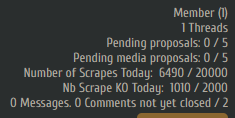
Check if you have spent your daily limit quota by checking screenscraper website. or maybe it is actually down in your country because i just tested it with latest version and everything looks fine.
Must be said, I was scraping without an account for some time today, then registered on their website, kept scraping with an account, and eventually got the infamous “empty Json” error message. Could it be that they are rate-limiting by IP address?
EDIT: Restarting my home router so that my IP address would change seems to have solved the issue. Scraping now works again.