XMPlayer
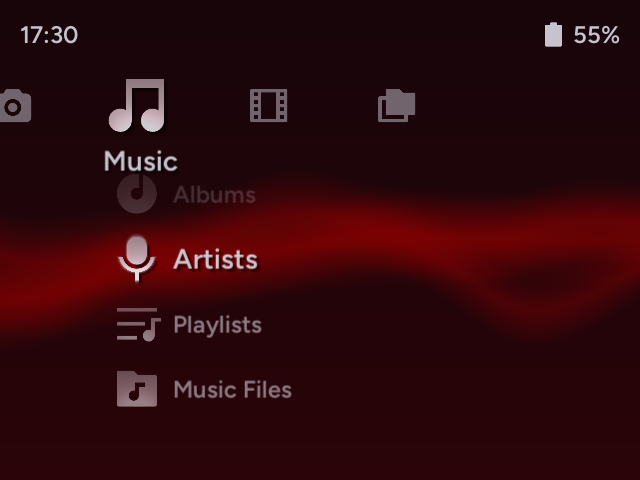
XMPlayer is an all-in-one, XMB-inspired media suite designed specifically for handheld gaming devices running muOS (and other CFWs with PortMaster support, test builds available). It provides a clean, easy-to-use interface for managing and enjoying your music, videos, and photos.
XMPlayer is a media suite application for Linux handhelds. It is NOT a custom firmware or an emulation frontend. The main focus is on media content other than games.
Disclaimer: XMPlayer is developed for educational purposes and is not affiliated with Sony or the XrossMediaBar brand.
Features
- XMB Interface: A responsive XrossMediaBar UI we all know and love.
- Responsive UI: UI is responsive to different screen sizes, resolutions, and aspect ratios.
- Content Indexing: Content indexing allows handling large media libraries without slowing down the UI.
- System Integration: Live battery percentage and clock display in the status bar.
Video Player
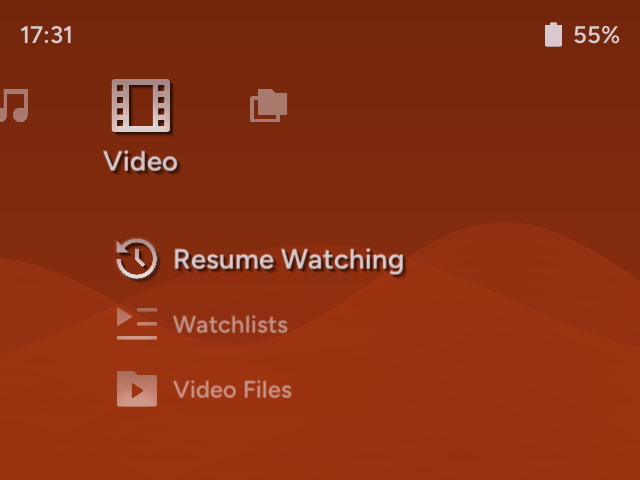
Provides special configurations to CFW’s built-in MPV and ffplay for high-performance video playback.
Music Player
A dedicated audio player interface with album art, track info, and playback controls. Common audio formats are supported. Moreover, basic support for VGM files and chiptune formats are available. Playback performance may differ depending on chiptune format and hardware, more information here.
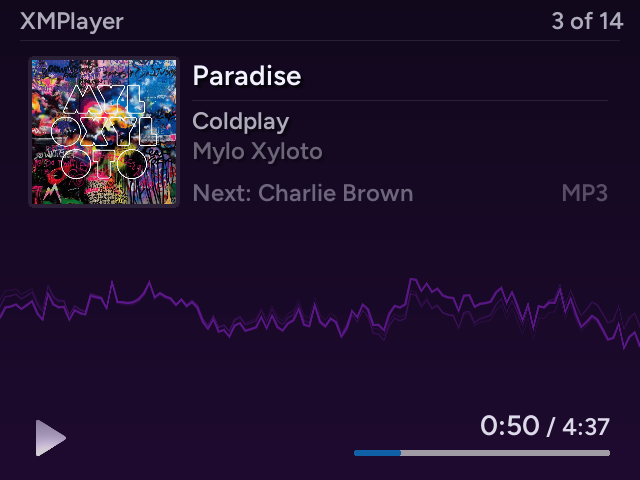
Photo Viewer
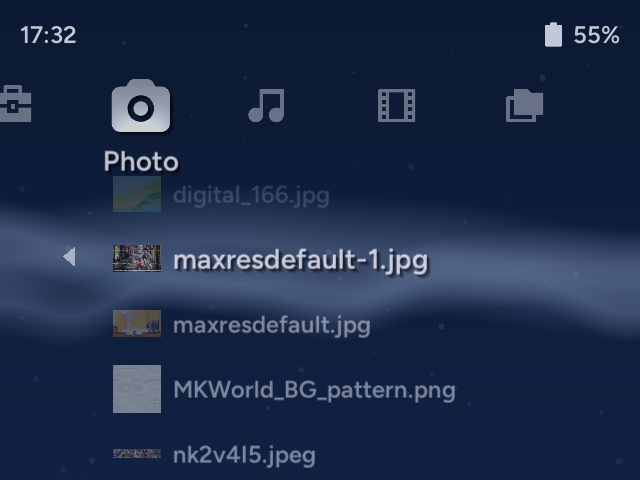
Browse and view your photo collection.
File Browser
Browse your handheld’s file system and access media files outside the main directories. Both single and dual SD card setups are supported.
Customizable Themes
Fluid particle animations and customizable color themes to your liking. You can set a (dynamic) wallpaper too!
No Games?
The goal of this project is to address the multimedia playback shortcomings of gaming handhelds. It is a Love2D application running under CFW. For the time being, I lack both the motivation and the skills to create a complete frontend. However, I do plan to add a feature in future releases that allows PSP game forwarding to PPSSPP for the sake of this app being for all-in-one media and nostalgia.
This project’s aim is to utilize XMB’s ease of use for media content and many people’s familiarity in the retro gaming community. This project does not aim to fully replicate or provide 1:1 functionalities with the original XMB interface of Sony devices. This project is a reimagination and adaptation, not a hard copy.
Installation
muOS App (.muxapp)
Prerequisites
- A handheld device running muOS. At least 1 GB of RAM is recommended for a smooth experience.
- Your music, videos, and photos organized into dedicated folders on your SD card. Both single and dual SD card setups are supported.
Steps
- Download the latest release and put in in the
ARCHIVESfolder on your SD card. - Install the
XMPlayer.muxappfile using Archive Manager. - Go to Applications menu and launch XMPlayer.
- At launch, XMPlayer will ask you to set media directories. Set all media directories you plan to use from Settings > Media Directories.
Need help where to locate?
- For single SD card setups, the SD card contents are mounted to
/mnt/mmc.- For dual SD card setups,
/mnt/mmcrefers to the 1st SD card, and/mnt/sdcardrefers to the 2nd.
- Under Media Directories, select Reindex Media and Restart App. XMPlayer will index your media library for you. After that, XMPlayer is ready to use.
Controls
| Button | XMB Menu | Music Player | Video Player (MPV) | Video Player (ffplay) | Photo Viewer |
|---|---|---|---|---|---|
| D-Pad Left/Right | Change Tabs | Previous/Next Track | Seek ±5s Menu+Left/Right: Seek Chapters |
Seek ±5s | Pan Left/Right |
| D-Pad Up/Down | Navigate Menu Items | - | Seek ±60s Menu+Up/Down: Seek ±15min |
Seek ±60s | Pan Up/Down |
| A | Select / Open / Confirm | Play / Pause | Play / Pause Menu+A: Take Screenshot |
Play/Pause | Reset View |
| B | Back / Cancel | Return to XMB | Skip Frames | Skip Frames | Zoom Out |
| X | Context Menu | Playback Options | Toggle Mute | Toggle Mute | Zoom In |
| Y | - | (Hold) Hotkey Display | Show OSD Menu+Y: Toggle OSD |
- | Rotate 90° |
| L1 | - | Previous Track | Previous Video | - | Previous Image |
| L2 | - | Seek -10s | Cycle Audio Tracks | - | - |
| R1 | - | Next Track | Next Video | - | Next Image |
| R2 | - | Seek +10s | Cycle Subtitles | - | - |
| Start | - | - | Adjust Aspect Ratio Menu+Start: Adjust Video Zoom (Panscan) |
- | Toggle Info |
| Select | - | - | Return to XMB | Return to XMB | Return to XMB |
Customization
You can personalize XMPlayer via Settings > Theme Settings:
- Theme: Toggle between
LightandDarkmodes. - Theme Color: Choose from the colors of RetroArch’s color presets for its XMB interface.
- Wallpaper: Select an image from your photos as a wallpaper!
- Wallpaper Effects: Add blur, tint, brightness effects to better match your style.
More customization options are on the way!
Roadmap
v0.1 Beta
- Mark/unmark videos as watched.
- Play videos from where you left off.
- Shuffle play: music (folder, album, artist)
- Play all & Shuffle play: videos (folder)
- Extended music playback controls. (repeat, hold, sleep, etc.)
- Auto display sleep.
- Continue playback while display turned off (+ lid closed for clamshells)
- Wallpaper and customization.
v0.2 Symphony
- Portmaster build target and test releases.
- Custom playlists for video and music.
- VGM file support (.spc, .nsf, …)
- One new visualizer.
v0.3 Frontier (Planned)
- Audiobooks support with dedicated player (bookmarks, chapters, …).
- Web radio streaming.
- Media library search.
- One new visualizer.
Planned for Later Versions
- Photo gallery.
- Image slideshows.
- Custom icon sets.
- Add support for other media formats?
Credits
- Built with Love2D.
- Icons provided by Remix Icon library.
- simpleScale script from tomlum’s simpleScale.
- System information provided by muOS.
- PlayStation, XrossMediaBar, and XMB are trademarks of Sony Interactive Entertainment Inc.
 It’s still in early development, so I’d really appreciate community’s feedback and suggestions.