Hi, I use OneTwo GC 2.2 on my RG40XXV, but I’m having an issue with the position of the icons in some sub-settings pages (Personalization and Network).
PS: I use Italian as the default language. Would it be possible to add localization for this theme?
Hi! You need to update to patch 2.
I can make translations, but i need translations of this words: “Explore” or “Games”, “Collections”, “History”, “Apps” or something similar and short, “Exit”.
Sorry, patch 2 of what? I have install last version of muOS available on the website and the latest theme from GitHub (2.2).
The transtaltions of the word is:
Explore > Esplora
Games > Giochi
Collections > Collezione (singular) Collezioni (plural)
History > Storico (but maybe is more correct “Recenti”)
Apps > Applicazioni/App
Exit > Esci
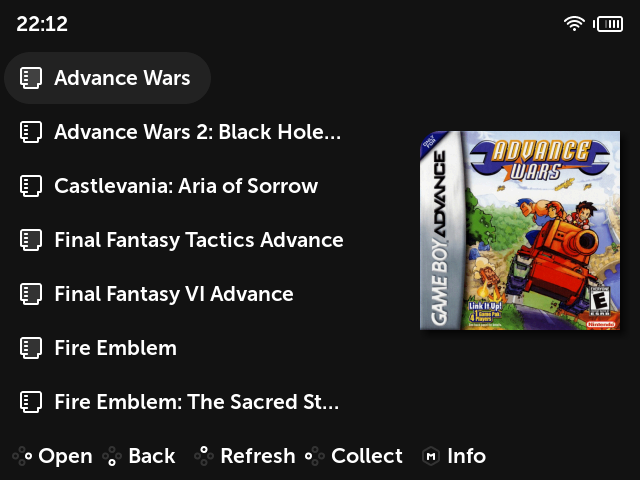
All four corners are rounded, it’s just that the scrappy’s built-in box2d mixes and probably some others default to putting a shadow beneath the boxart itself. The other three rounded corners are a dark shadow on a dark background where the shadow’s already blurry and rounded to start with.
The rounded corners can probably be disabled with a theme override, search for image_list and radius in the scheme file documentation, or you could make a different scrappy mix that doesn’t add and compensate for a shadow.
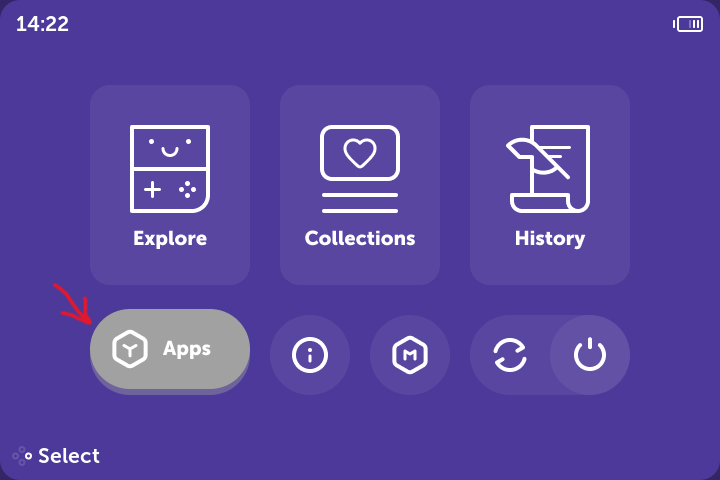
Is it possible to change the color of the “Apps” highlight color to a neon shade of blue instead of grey? Is there anything I can edit in the global.ini file to change it myself?
the same way as for any other theme - go to MUOS\info\catalogue\Folder\grid
and rename png for any missed platform to correct (corresponding folders name in MUOS\info\catalogue)
in case of nes the name should be “Nintendo NES - Famicom.png” (I think you have two spaces missed)
I in turn have the following issue:
on boot there is bootlogo from previous theme variant.
e.g. I installed theme and switch to dmgGamePal variant without rebooting, then reboot and I see green smile face on turning off and yellow muos logo on boot.
then I switch to BMO variant and reboot, and I see blue smile face on turning off and green smile face on boot
and so on. (can attach a video if needed)
I checked MUOS\theme\active\640x480\image there is always correct boot logo
Hi guys! I need some time to make new icons and rename every icon that needs to be renamed. Also i’m planing to add italian language support. If you see some graphical issues please let me know here. @RetroXNerd i’m sorry, but i made this color scheme only with colors of OG purple gamecube, that’s why i don’t want to change it, but you can make it yourself, you only need to change the picture in MUOS/themes/active/720x480/image/wall/muxlaunch/apps.png. You can use picture from another color scheme of the theme. Or you can make any color you want using some photo editor program or in Figma using original project, that you can find on the github page of the theme.




 мне кажется это может решить проблему (ну точнее обойти)