If I can make a feature request, could you consider adding a way to change what system a folder is assigned to within the app without having to edit the config file?
2 Likes
If someone wants to test and give feedback on scrappy v8 before it releases then download it from here - Gofile - Cloud Storage Made Simple
You can install it from archive manager, but first you need to remove the previous version.
Before removing it, you can back up your cache:
- Go to Advanced Tools
- Select “Backup Cache to SD1/Archive”
- Your cache will be saved and shown in the Archive Manager
Now remove the old version:
- Go to the muOS/application folder
- Find the “scrappy” folder and delete it
After that:
- Install V8
- Once installation is complete, go to Archive Manager and restore your cache
This way, you don’t need to go through fetch/download phase for all the ROMs again.
Changelog:
- Added new water animations across the entire UI
- Updated the Skyscraper binary
- Fixed bugs in the Artwork Manager
- Added a new option in Advanced Tools: Template Maker (create your own XMLs/templates for box art)
- Replaced the font with Inter Medium
- Improved UI appearance in many areas
- Applied multiple backend fixes
2 Likes
Hello. First of all, I would like to thank you for the application. It greatly facilitates the customization of my RG35XXH.
I would like to report that when associating a folder with Master System ROMs with the SMS Plus GX core, Scrappy searches for content from the SG-1000 system and not the Master System (also known as SEGA Mark 3).
To solve the problem, I changed the association in the config file to “SMS = mastersystem” and it worked.
Thank you!
1 Like
tried to fix this bug but i need you to test it properly. If you will be able to test then contact me through Telegram: Contact @saitama_96
1 Like
Tested v8 in Funky Jacaranda and everything is working great so far!
Love the app!
1 Like
v8 beta seems to be working really well on my CubeXX with Jacaranda.
You’ve done some amazing work here! Really impressed by the Template Maker! Is that all done by you?
One thing: How can you see the different outputs in the Template Maker? Right now I can only see Boxart.
Edit: Template Maker actually overwrote the screenshot output I had after the cover output. So I guess more outputs are not supported yet?
Thank you for the fantastic work on this!!
1 Like
One more thing: The scraped 3D boxes are now much simpler. They are basically the 2D art at an angle, instead of the nice game boxes with spines etc. Any reason for that change?
Thanks for the feedback, I have fixed the issue with 3D Boxes. It was a silly mistake from my end. I have also added different output like preview, splash in template maker.
This version comes with a lot more changes.
You can download new test build from here - Gofile - Cloud Storage Made Simple
Let me know if you find any other issues.
The 8.0 version works amazing. have been using the template maker which is incredible and having everything cached it allows for great use of resizing and customizing based on system art.
Very good job!!!
works on the smart pro which is known for bad I/O and it works great!!!
Thankyou for testing. I have made some more new changes in template maker, along with some new preview window artwork and change/create option in advanced tools.
You won’t need to remove previous version 8 if you want to install this new test build. You can install it on top of previous version.
2 Likes
Oh man, just had to re-scrape my whole library due to an unfortunate accident and changes in the test version are amazing. I like how overboard you went with the animations and I love it, haha!
1 Like
I will add more animations in final build lol
1 Like
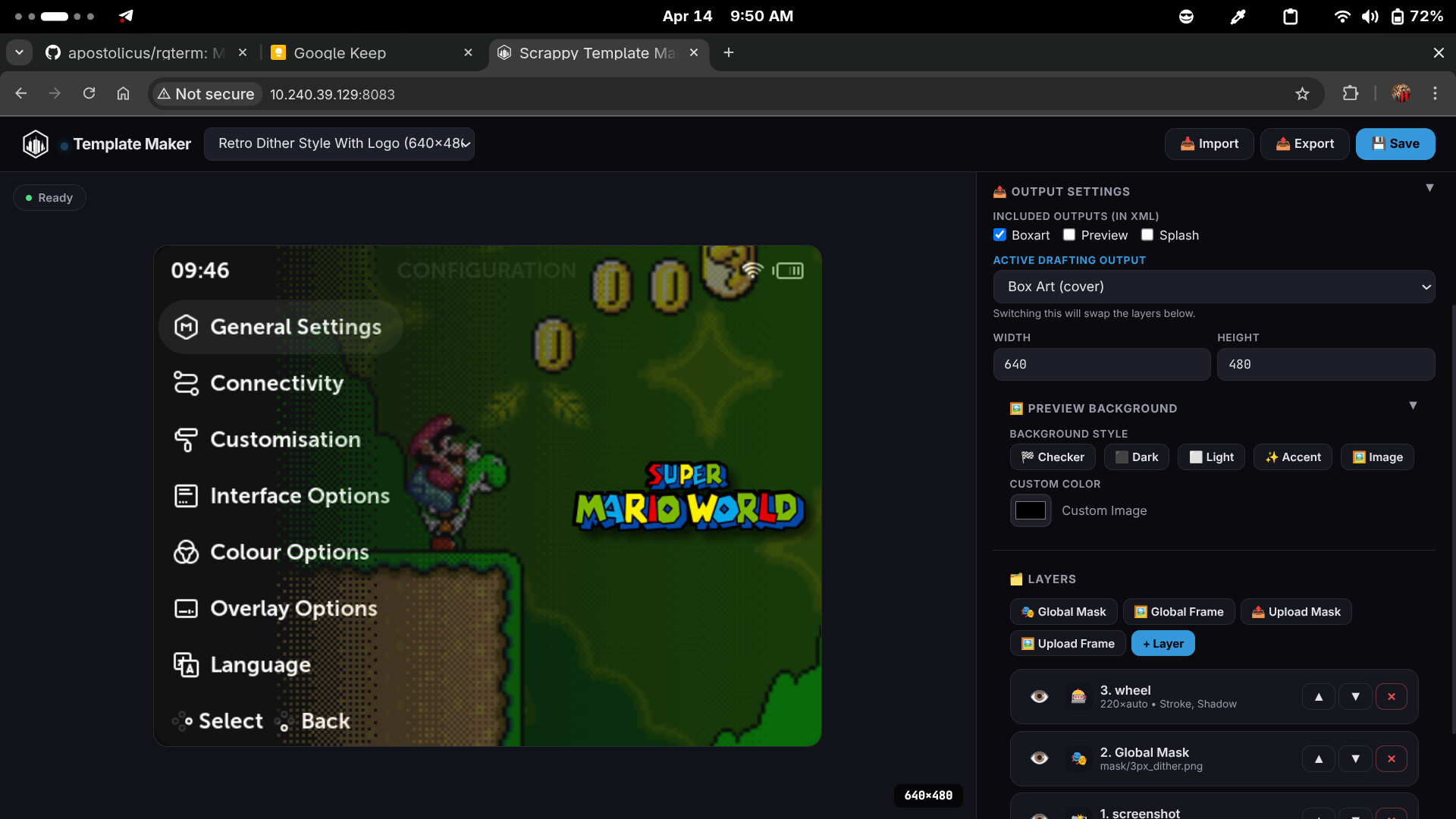
Added a new option to upload a custom background image for previewing in the Template Maker. Users will be able to upload any image or screenshot from their theme and check how their template will look on their device using this feature.
Template Maker coming very soon with Scrappy Version 8.
3 Likes
Now it’s easy to make xml file with the template, u can see what u need and make what u want..
thanks for the great job 
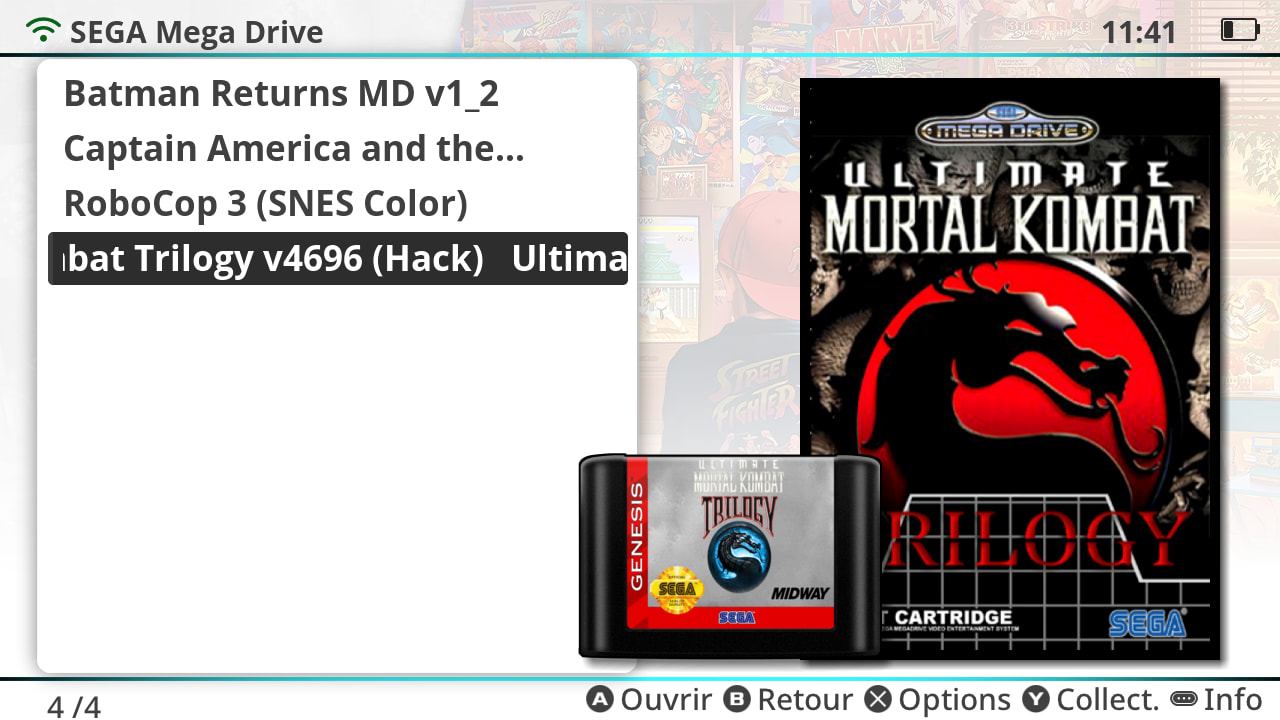
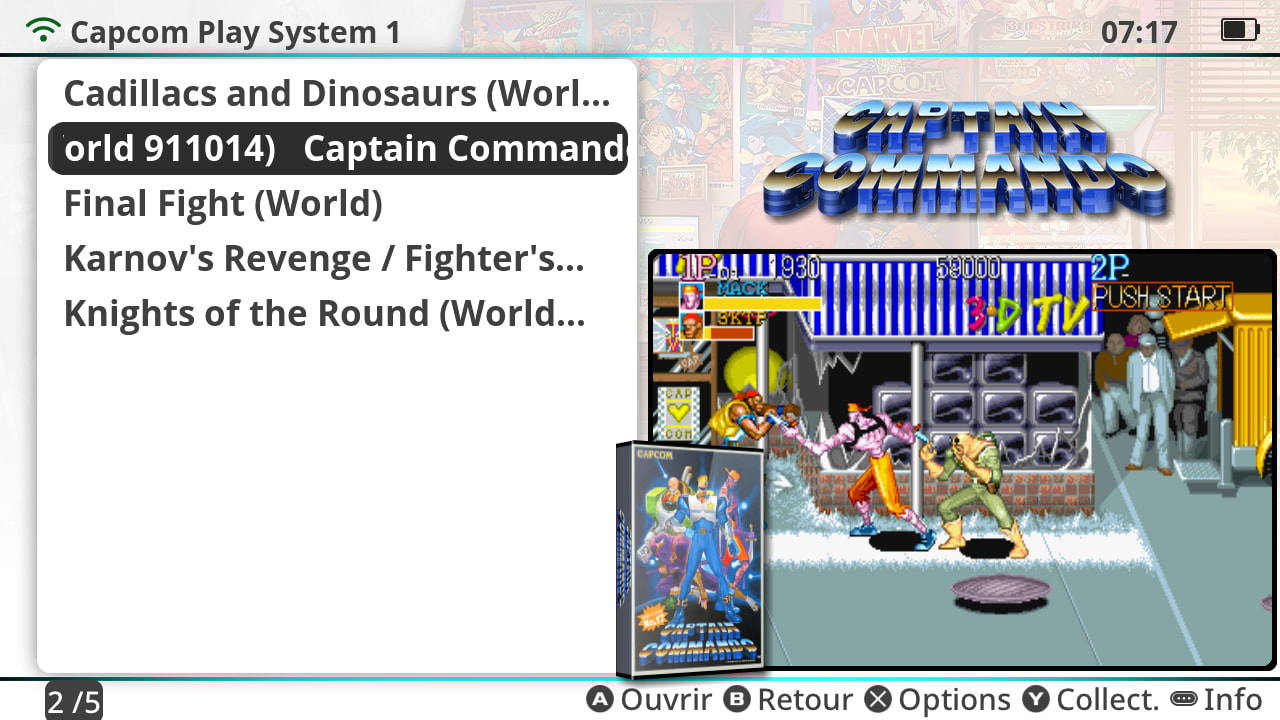
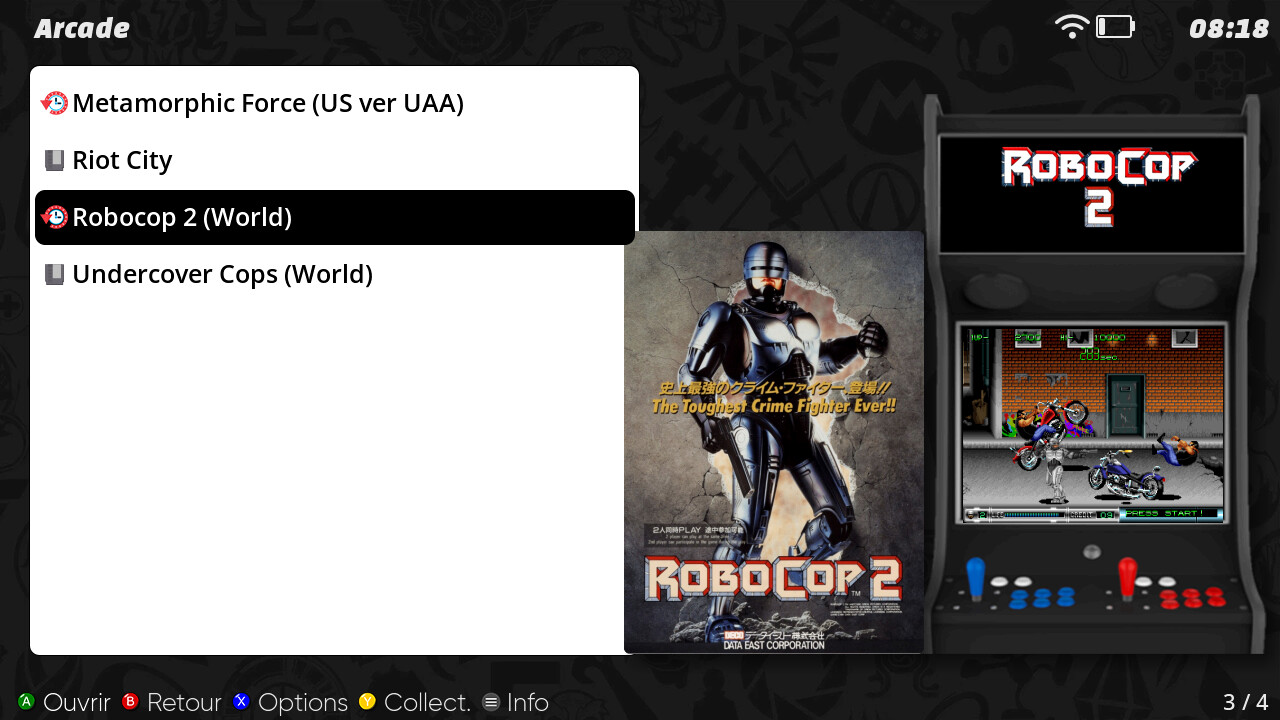
Now my TSP machine can have the xml i need 
2 Likes
Those look great! 
1 Like
Hi there, trying latest 8.0 version on my RG34XXSP and it seems to always return “Game Not Found” with any game I try to scrape. Even refining game name doesn’t seem to work. Simple games like Pokemon Leafgreen, Mario Golf, etc. All return this.
Created a Issue here: Games not found when scraping on RG34XXSP · Issue #18 · saitamasahil/scrappy · GitHub
Can you check if the WiFi is properly connected? Also, make sure portmaster is also working or not with same WiFi.
Does seem like it’s a wi-fi related issue. Portmaster also states an internet connection is required, despite internet displaying as connected in the system settings, and giving me an IP…
Yeah sometimes it happens with me too on a specific router. Restarting muOS normally fixes this issue for me.
Restarting didn’t fix it, had to reflash the entire system in the end, but after a reflash it seems to work fine! Sorry for the inconvenience, and thanks for making such a great tool!